
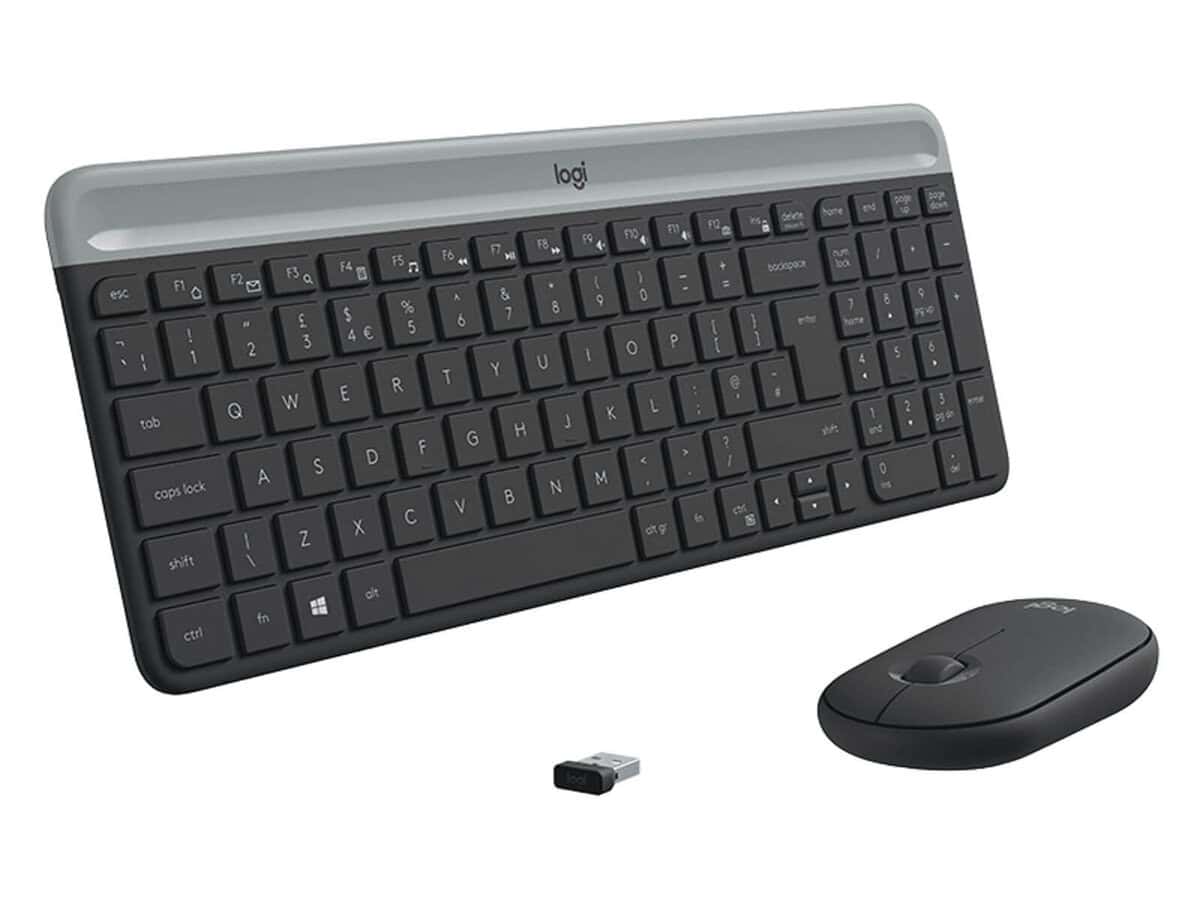
Logitech MK470 Slim Wireless Keyboard and Mouse Combo

R1590.60

BB Store Credit Earn PreviewEarn approx. R31.81 BB Store Credit1% base • +1% payday. Added after successful checkout and available for your next order.
Payflex Peach PAYMENTS Yoco
Brits Brothers SupportNeed help with this part?Fitment, stock, courier and returns help.
WhatsApp
Use Sales Desk, or choose a rotating WhatsApp support line.
Premium System

Complete Repair Package

Open the package builder to choose your vehicle and repair area. It only loads after click.

Logitech MK470 Slim Wireless Keyboard and Mouse Combo provides a wireless keyboard and mouse set designed for efficient computing and space-saving use

Fitment Check
RepairMatch™ Fitment
Confirm this part against your vehicle before you order.
Check Fitment
Opens fitment page
Store Credit Deal
ThunderDeal™ Negotiator
Make a serious online offer and turn the approved value into BB Store Credit.
Open Negotiator
Shortcode page
Repair Package
Complete Repair Bundle
Build a matching repair package using this part as the starting point.
Build Bundle
Opens bundle page
Vehicle Search
Vehicle Parts Finder
Search by vehicle and find related parts faster.
Find Vehicle Parts
Opens finder page

Logitech MK470 Slim Wireless Keyboard and Mouse Combo is a compact computer peripheral set designed for users seeking a streamlined input solution. This combo includes both a slim wireless keyboard and a mouse, offering wireless connectivity for comfortable and flexible use without clutter. The keyboard features a slim profile that helps save desk space while providing efficient key travel for typing. Paired with a wireless mouse, this combo supports smooth cursor control suitable for everyday computing tasks. When selecting this combo, ensure compatibility with your device’s wireless interface to maintain a stable connection. This listing is focused on the Logitech MK470 Slim range, identifiable by the SKU BB-396146, and is categorized under computer peripherals and wireless mice. Its wireless design eliminates the need for cables, enhancing portability and workspace tidiness.

  • Wireless keyboard and mouse combo
  • Slim keyboard profile for space-saving use
  • Category: Computer Peripheral or Wireless Mouse
  • SKU: BB-396146

If you require a keyboard and mouse set with minimal desk footprint and wireless freedom, this Logitech MK470 Slim combo offers a practical option. For any further specific compatibility queries or alternative device needs, consider submitting a request through the sales desk or part finder.

Need help matching this item to your vehicle? Use Logitech K250 Wireless Keyboard, Vehicle Parts Finder or Request a Part with your VIN, engine number, part number or clear photos.

Frequently Asked Questions

Confirm fitment before ordering
Quick answers before you order. If anything is unclear, confirm fitment first using your VIN or part number and avoid mistakes.
Helpful product answers
What are the main features of the Logitech MK470 Slim Wireless Keyboard and Mouse Combo?
The Logitech MK470 combo includes a slim wireless keyboard and a compact mouse designed for comfortable, quiet typing and precise control. Both devices use a reliable wireless connection to reduce clutter and increase workspace efficiency. This combo is ideal for users seeking a minimalist setup without sacrificing functionality.
Is the Logitech MK470 compatible with different operating systems?
Yes, the MK470 is compatible with multiple operating systems including Windows and macOS. However, some special function keys may have limited functionality depending on the OS. It's best to check Logitech's official specifications for detailed compatibility notes.
How do I connect the Logitech MK470 keyboard and mouse to my computer?
The MK470 uses a single USB receiver to connect both the keyboard and mouse wirelessly. Simply plug the receiver into a USB port on your computer, and the devices should pair automatically. A common mistake is not inserting the USB receiver fully; ensure it is securely connected for stable performance.
What should I do if the wireless connection of the MK470 keyboard or mouse is unstable?
If you experience connection issues, first check the battery levels and replace them if necessary. Also, ensure the USB receiver is not blocked by metal objects or placed too far from the devices. Re-pairing the devices by unplugging and re-plugging the receiver can often resolve interference problems.
Can I purchase replacement parts for the Logitech MK470 combo through Brits Brothers™?
Yes, Brits Brothers™ offers a service to request parts for various products. If you need replacement keys, batteries, or other components for the MK470, you can submit a request via their dedicated parts page. This helps maintain your devices without needing a full replacement. Visit Request a Part to get started.