
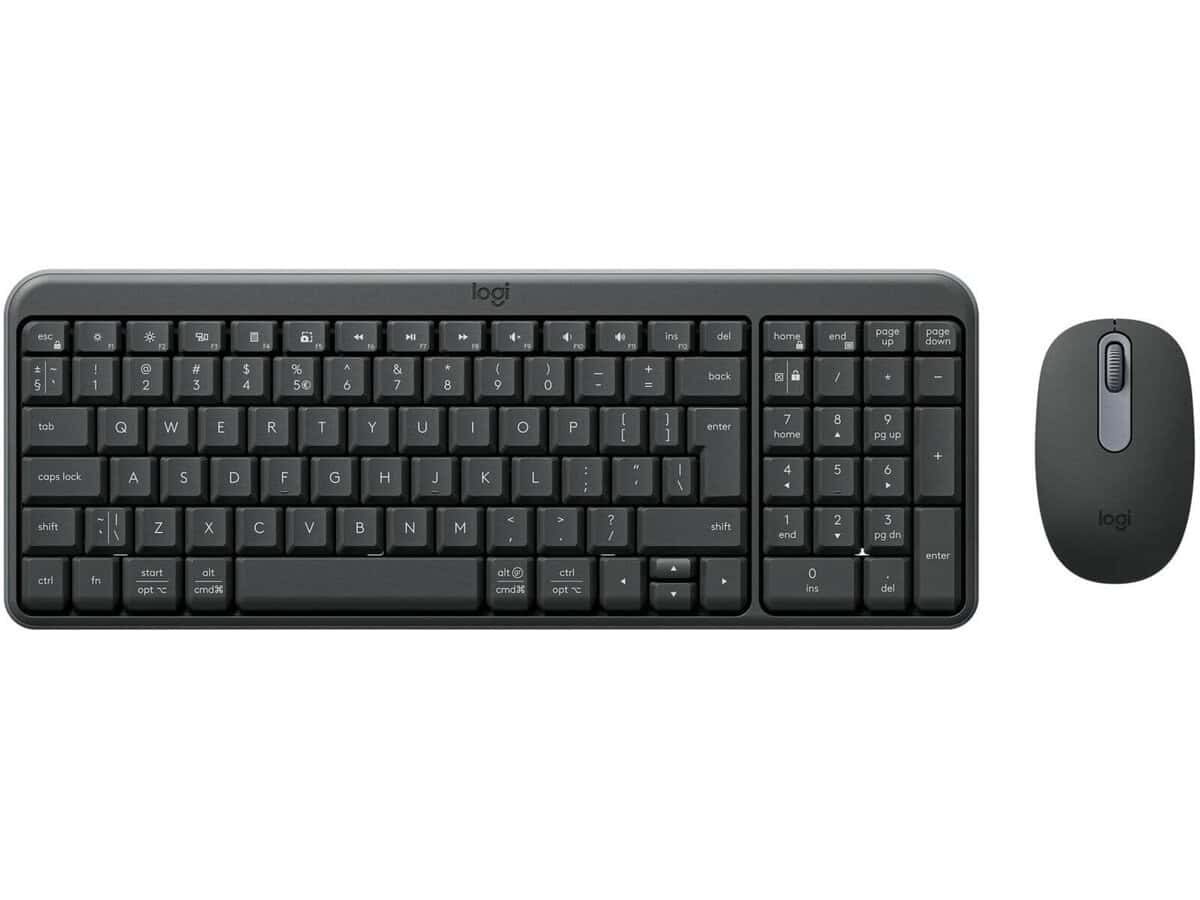
Logitech MK250 Compact Wireless Keyboard and Mouse Combo

R778.60

BB Store Credit Earn PreviewEarn approx. R15.57 BB Store Credit1% base • +1% payday. Added after successful checkout and available for your next order.
Payflex Peach PAYMENTS Yoco
Brits Brothers SupportNeed help with this part?Fitment, stock, courier and returns help.
WhatsApp
Use Sales Desk, or choose a rotating WhatsApp support line.
Premium System

Complete Repair Package

Open the package builder to choose your vehicle and repair area. It only loads after click.

Logitech MK250 Compact Wireless Keyboard and Mouse Combo offers a compact wireless keyboard and mouse set suited for everyday computer use, enhancing user convenience

Fitment Check
RepairMatch™ Fitment
Confirm this part against your vehicle before you order.
Check Fitment
Opens fitment page
Store Credit Deal
ThunderDeal™ Negotiator
Make a serious online offer and turn the approved value into BB Store Credit.
Open Negotiator
Shortcode page
Repair Package
Complete Repair Bundle
Build a matching repair package using this part as the starting point.
Build Bundle
Opens bundle page
Vehicle Search
Vehicle Parts Finder
Search by vehicle and find related parts faster.
Find Vehicle Parts
Opens finder page

Logitech MK250 Compact Wireless Keyboard and Mouse Combo offers a compact, wireless solution for desktop and laptop computer users needing an integrated keyboard and mouse setup. This combo combines a space-saving keyboard design with a wireless mouse, making it ideal for those wanting to reduce clutter and enhance workspace mobility.

The keyboard in this combo provides essential typing features in a compact form factor, suitable for use in tight spaces or for users who prefer a minimalistic layout. The wireless mouse complements the keyboard with its convenient, cable-free operation, allowing easy navigation and control from a distance. Both devices connect wirelessly, facilitating a tidy setup without the hassle of cord management.

This computer peripheral combo is listed under the category of Computer Peripheral or Wireless Mouse and is identified by the SKU BB-396151. Buyers should compare this unit with their current keyboard and mouse to ensure compatibility with their operating system and preferred usage style. This combo suits users looking for a simple wireless input solution rather than specialized gaming or ergonomic models.

When considering this combo:

  • Check if the compact keyboard layout meets your typing needs.
  • Confirm the wireless connectivity fits your workspace range requirements.
  • Verify the compatibility of the combo with your computer system.

This Logitech MK250 unit is appropriate for anyone seeking a reliable, basic wireless keyboard and mouse combination with a compact footprint.

Need help matching this item to your vehicle? Use Logitech K250 Wireless Keyboard, Vehicle Parts Finder or Request a Part with your VIN, engine number, part number or clear photos.

Frequently Asked Questions

Confirm fitment before ordering
Quick answers before you order. If anything is unclear, confirm fitment first using your VIN or part number and avoid mistakes.
Helpful product answers
Is the Logitech MK250 Compact Wireless Keyboard and Mouse Combo compatible with Windows and Mac systems?
The Logitech MK250 is primarily designed for Windows operating systems, ensuring seamless plug-and-play functionality. While it may work with Mac systems, some keys or features might not be fully supported. For optimal performance, check your device compatibility before purchase.
What is the wireless range of the Logitech MK250 keyboard and mouse combo?
The MK250 combo offers a reliable wireless connection with an approximate range of 10 meters (33 feet). This allows for comfortable use without the need for direct line-of-sight, ideal for both office and home environments.
Can I use the Logitech MK250 keyboard and mouse combo with multiple devices simultaneously?
No, the MK250 combo connects via a single USB receiver to one device at a time. To switch between devices, you will need to unplug and reconnect the USB receiver to the desired device.
Does the Logitech MK250 keyboard have multimedia shortcut keys?
Yes, the MK250 keyboard includes essential multimedia shortcut keys such as volume control, play/pause, and mute. These keys enhance productivity by providing quick access to common functions without interrupting your workflow.
How do I check if the Logitech MK250 fits my laptop or desktop setup?
The MK250 keyboard is compact and designed to save desk space, making it suitable for both laptops and desktops. To ensure fitment, measure your available workspace and compare it with the keyboard’s compact dimensions listed on the product page. The wireless mouse is also ergonomically designed for right-handed users.
What should Trade Partners do if they require bulk orders or specific part requests for the MK250 combo?
Trade Partners interested in bulk purchases or specific part requests can contact Brits Brothers™ directly through the Request a Part page. This ensures tailored support and access to stock availability for efficient procurement.