
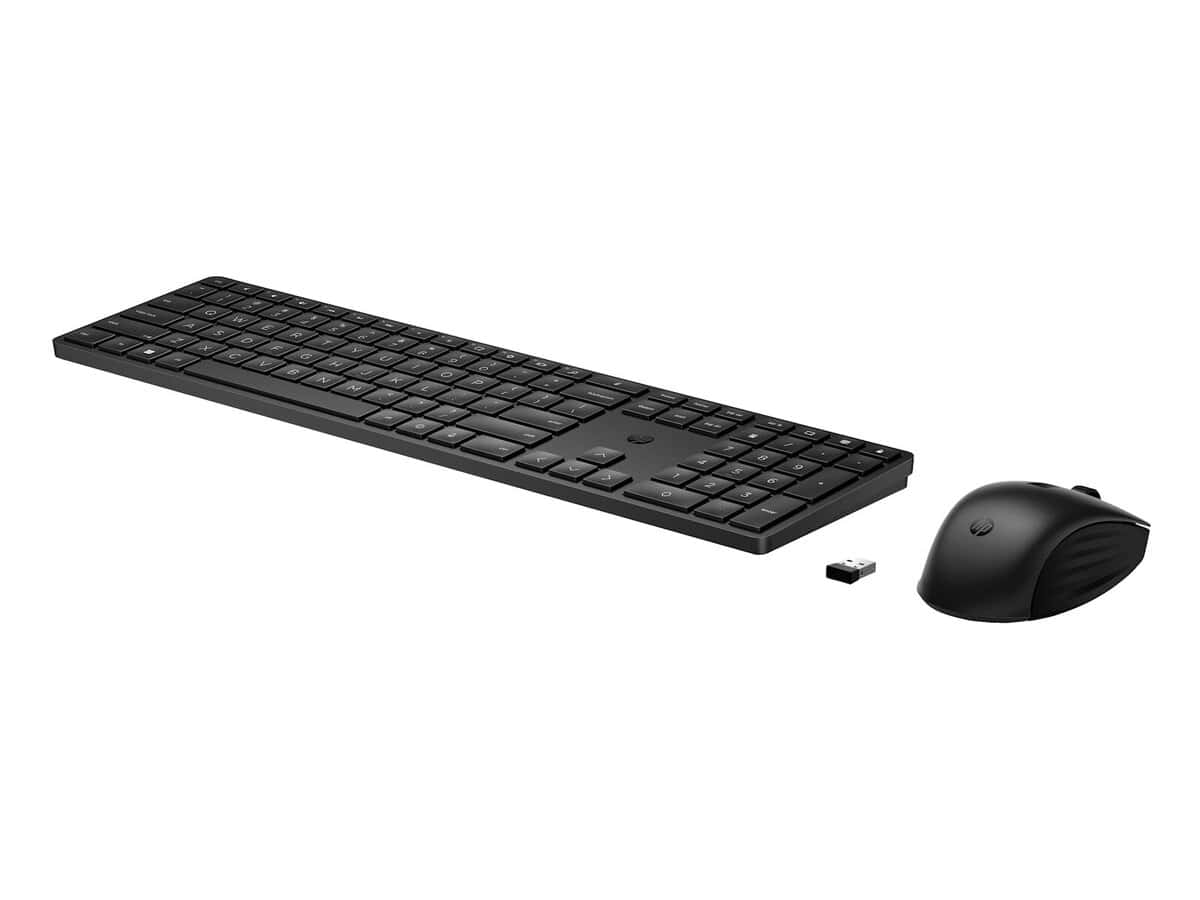
HP 655 Wireless Keyboard and Mouse Combo

R1506.60

BB Store Credit Earn PreviewEarn approx. R30.13 BB Store Credit1% base • +1% payday. Added after successful checkout and available for your next order.
Payflex Peach PAYMENTS Yoco
Brits Brothers Support

Need help with this part?

Fitment, stock, courier and returns help.
Click any service to learn more.
Repair package

Complete Repair Package

Open the package builder to choose your vehicle and repair area. It only loads after click.

HP 655 Wireless Keyboard and Mouse Combo provides a wireless input solution suitable for computers requiring keyboard and mouse peripherals

HP 655 Wireless Keyboard and Mouse Combo is a combined computer peripheral set designed to offer wireless convenience for HP 655 Wireless-compatible systems or any devices that support standard wireless keyboard and mouse inputs. This combo simplifies desktop setups by eliminating cables, making it ideal for home or office use.

The keyboard provides a full layout for typing tasks, while the mouse offers smooth navigation for everyday computing activities. Both devices connect wirelessly, enhancing desk organization and flexibility in workspace placement. Buyers should check compatibility with their device’s wireless receiver to ensure seamless connection.

This combo is well suited for users looking to replace or upgrade their current input devices with a reliable wireless option. When considering this product, compare the connection interface and key layout with your existing peripherals. Verify your device supports the wireless standard used by this unit, given it is listed as a general HP 655 Wireless-compatible accessory.

  • Includes both keyboard and mouse in one package
  • Wireless design reduces cable clutter
  • Compatible with HP 655 Wireless and similar systems

For further clarification on this peripheral’s compatibility or alternative options, contact the sales desk or submit a request through available channels.

Need help matching this item to your vehicle? Use Logitech K250 Wireless Keyboard, Vehicle Parts Finder or Request a Part with your VIN, engine number, part number or clear photos.

Research before ordering

Guides related to this product

Use these references to compare condition, fitment evidence and buying checks.

Frequently Asked Questions

Confirm fitment before ordering
Quick answers before you order. If anything is unclear, confirm fitment first using your VIN or part number and avoid mistakes.
Helpful product answers
What are the main features of the HP 655 Wireless Keyboard and Mouse Combo?
The HP 655 Wireless Keyboard and Mouse Combo offers a reliable wireless connection for both keyboard and mouse, reducing cable clutter on your desk. It is designed for comfortable typing and smooth mouse control, suitable for everyday computing tasks. The combo typically includes a USB receiver for easy plug-and-play setup with compatible devices.
How do I connect the HP 655 Wireless Keyboard and Mouse Combo to my computer?
To connect the HP 655 Wireless Keyboard and Mouse Combo, plug the USB receiver into an available USB port on your computer. The devices should automatically pair with the receiver, allowing immediate use without additional software. If you experience connection issues, ensure the batteries are installed correctly and within range of the receiver.
What should I do if the wireless keyboard or mouse stops responding?
If either the keyboard or mouse stops responding, first check the battery levels and replace them if necessary. Also, ensure the USB receiver is securely connected to your computer and free from obstructions. A common mistake is placing the receiver too far from the devices; keep it within a reasonable range to maintain a stable connection.
Is the HP 655 Wireless Keyboard and Mouse Combo compatible with all operating systems?
The HP 655 Wireless Keyboard and Mouse Combo is generally compatible with most Windows operating systems and may work with other OS that support standard USB input devices. However, specific functionality like special keys might not be fully supported on non-Windows platforms. For detailed compatibility, consult the product documentation or contact Trade Partners for assistance.
Can I use the HP 655 Wireless Keyboard and Mouse Combo with multiple devices?
This combo is designed to connect to a single device at a time via its USB receiver. Switching between multiple devices requires unplugging the receiver and plugging it into the other device, which can be inconvenient. For multi-device use, consider wireless peripherals with multi-host support. For further advice, reach out to our Trade Partners.
Where can I get replacement parts or support for the HP 655 Wireless Keyboard and Mouse Combo?
If you need replacement parts or support, you can request specific components through our dedicated parts service. Avoid attempting repairs without proper guidance as this can cause further damage. Visit Request a Part or contact our Trade Partners for professional assistance.