
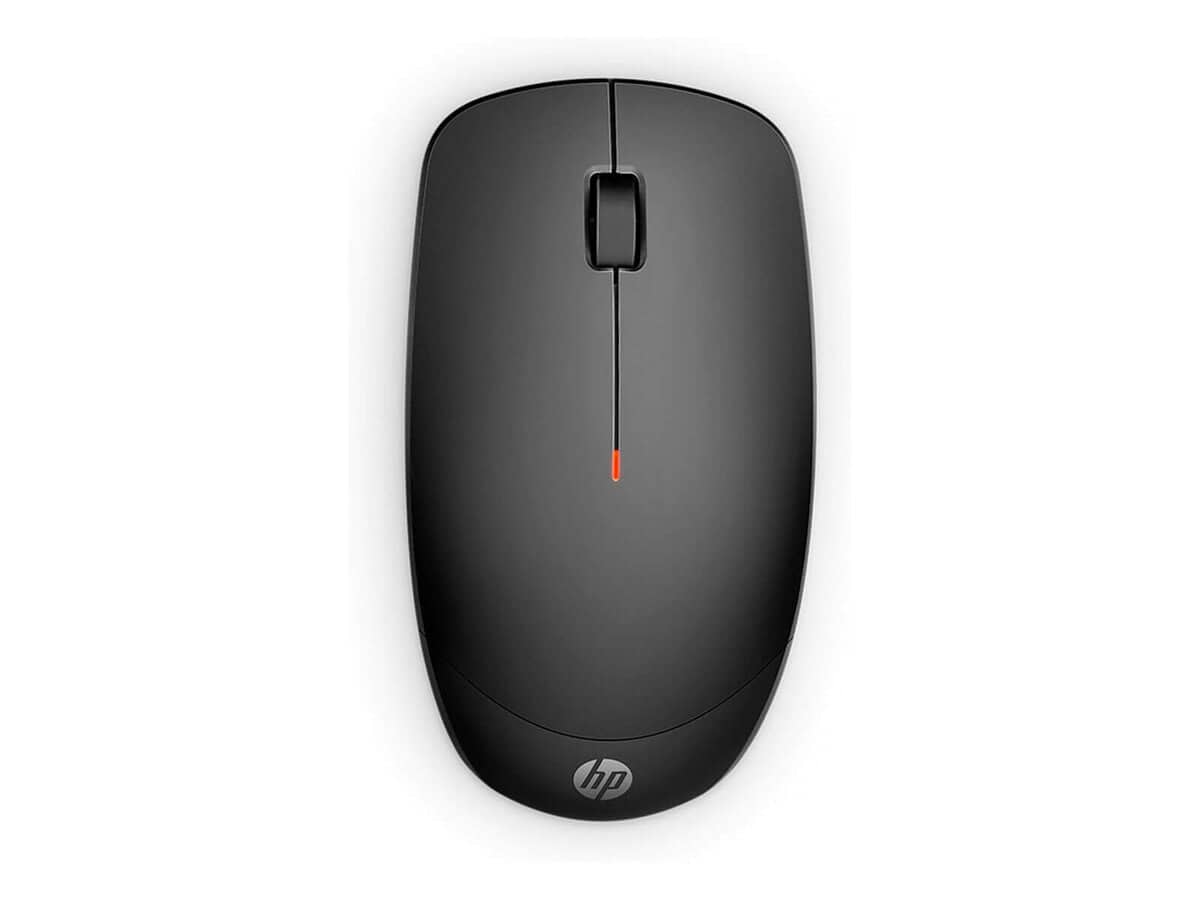



HP 235 Slim Wireless Mouse

R498.60

BB Store Credit Earn PreviewEarn approx. R12.47 BB Store Credit1% base • +1% payday • +0.5% weekend. Added after successful checkout and available for your next order.
Payflex Peach PAYMENTS Yoco
Brits Brothers SupportNeed help with this part?Fitment, stock, courier and returns help.
WhatsApp
Use Sales Desk, or choose a rotating WhatsApp support line.
Premium System

Complete Repair Package

Open the package builder to choose your vehicle and repair area. It only loads after click.

HP 235 Slim Wireless Mouse offers wireless connectivity in a slim profile suited for everyday computer use. Ideal for users seeking portability and convenience in a mouse

Fitment Check
RepairMatch™ Fitment
Confirm this part against your vehicle before you order.
Check Fitment
Opens fitment page
Store Credit Deal
ThunderDeal™ Negotiator
Make a serious online offer and turn the approved value into BB Store Credit.
Open Negotiator
Shortcode page
Repair Package
Complete Repair Bundle
Build a matching repair package using this part as the starting point.
Build Bundle
Opens bundle page
Vehicle Search
Vehicle Parts Finder
Search by vehicle and find related parts faster.
Find Vehicle Parts
Opens finder page

HP 235 Slim Wireless Mouse is a compact computer peripheral designed for wireless connectivity. Ideal for users seeking a slim, portable mouse solution, it suits various environments requiring a wireless interface for efficient navigation and control.

This mouse operates without cords, enhancing desk organization and providing ease of movement. Buyers should compare this unit’s shape, size, and wireless compatibility with their existing mouse to ensure comfort and seamless integration with their device setup. The slim design supports portability, making it a practical option for laptop users or mobile workstations.

The this part typically connects to compatible computers via a USB receiver or Bluetooth, depending on user system requirements. Confirm the connection method preference and verify that your device supports it before purchase.

  • Compact, slim profile for easy handling and transport
  • Wireless operation to reduce cable clutter
  • Fits standard computer setups requiring a wireless mouse

Consider this mouse when your current device is replaced or when upgrading to a wireless option that balances size and functionality. For questions about compatibility or alternative options, consult the sales desk or submit a request for parts assistance.

Need help matching this item to your vehicle? Use Logitech K250 Wireless Keyboard, Vehicle Parts Finder or Request a Part with your VIN, engine number, part number or clear photos.

Frequently Asked Questions

Confirm fitment before ordering
Quick answers before you order. If anything is unclear, confirm fitment first using your VIN or part number and avoid mistakes.
Helpful product answers
What are the key features of the HP 235 Slim Wireless Mouse?
The HP 235 Slim Wireless Mouse offers a compact and lightweight design ideal for portability. It features wireless connectivity for a clutter-free workspace and smooth tracking suitable for everyday computer tasks. Its slim profile makes it comfortable for extended use, especially in tight spaces.
How do I connect the HP 235 Slim Wireless Mouse to my computer?
This mouse typically connects via a USB wireless receiver that plugs into your computer's USB port. Once plugged in, the mouse should automatically pair without needing additional software. Ensure your computer's USB port is functional and avoid interference from other wireless devices for optimal performance.
What type of batteries does the HP 235 Slim Wireless Mouse use, and how long do they last?
Not specified for this model. However, wireless mice like the HP 235 Slim usually use AA or AAA batteries. Battery life depends on usage but generally lasts several months. It's best to replace batteries promptly when you notice lag or connectivity issues to maintain smooth operation.
Can the HP 235 Slim Wireless Mouse be used with both laptops and desktop computers?
Yes, the HP 235 Slim Wireless Mouse is compatible with most laptops and desktop computers that support USB wireless receivers. Its slim and portable design makes it especially convenient for laptop users on the go. Just ensure your device has an available USB port for the receiver.
What is a common mistake to avoid when using the HP 235 Slim Wireless Mouse?
A common mistake is placing the wireless receiver too far from the mouse or behind metal objects, which can cause connectivity issues. To fix this, keep the receiver in direct line of sight with the mouse and avoid USB ports located behind thick metal surfaces. This ensures a stable and responsive connection.
Where can Trade Partners find more information or support for the HP 235 Slim Wireless Mouse?
Trade Partners can access detailed product information and support through the Brits Brothers Trade Partner portal. For specific parts or assistance, they can also request support via the dedicated parts request page. Visit Trade Partners for more details.