
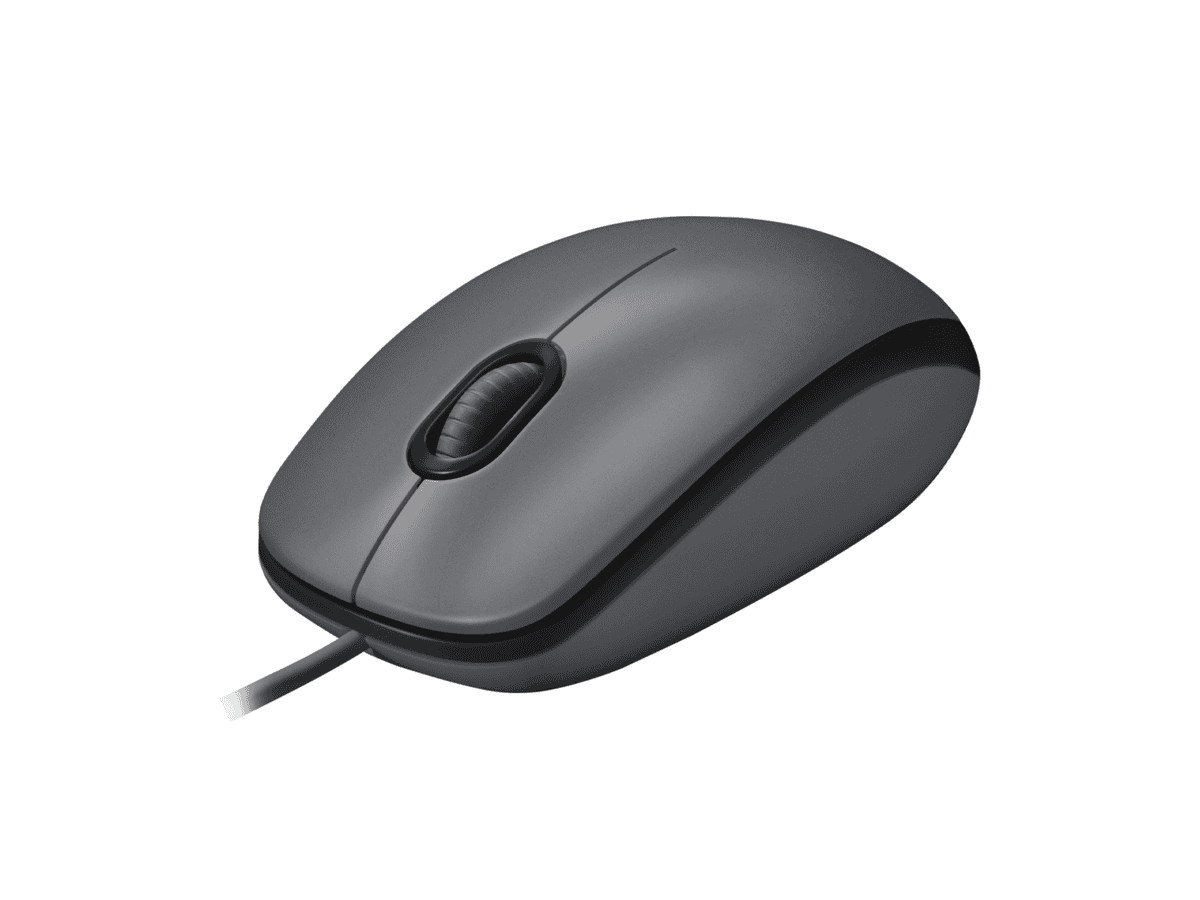
Logitech M100 mouse Ambidextrous Optical Mouse

R274.60

BB Store Credit Earn PreviewEarn approx. R5.49 BB Store Credit1% base • +1% payday. Added after successful checkout and available for your next order.
Payflex Peach PAYMENTS Yoco
Brits Brothers Support

Need help with this part?

Fitment, stock, courier and returns help.
Click any service to learn more.
Repair package

Complete Repair Package

Open the package builder to choose your vehicle and repair area. It only loads after click.

Logitech M100 mouse Ambidextrous Optical Mouse is designed for ambidextrous use with optical tracking. It is suitable for general computer peripheral needs

Logitech M100 mouse Ambidextrous Optical Mouse is a widely used computer peripheral designed for comfortable ambidextrous use, suitable for both right- and left-handed users. This optical mouse provides precise tracking for everyday computing tasks, making it a reliable option for office or home use. Its contoured shape supports extended use without discomfort.

This unit connects via a wired interface, ensuring a stable and responsive experience without the need for batteries. The optical sensor offers accurate cursor control on most surfaces, an essential feature if you rely on smooth navigation and consistent performance. When replacing an existing mouse, compare the shape, button placement, and connection type to ensure compatibility with your setup.

The Logitech M100 is perfect for users seeking a straightforward, no-frills pointing device. Check your current mouse model and portability preferences before purchase. This listing features the exact product identity and SKU BB-395768, helping you confirm the match with your requirements.

  • Ambidextrous design fits both hands comfortably
  • Optical tracking for precision and smooth movement
  • Wired connection for reliable performance and no battery worries

Need help matching this item to your vehicle? Use Logitech K250 Wireless Keyboard, Vehicle Parts Finder or Request a Part with your VIN, engine number, part number or clear photos.

Research before ordering

Guides related to this product

Use these references to compare condition, fitment evidence and buying checks.

Frequently Asked Questions

Confirm fitment before ordering
Quick answers before you order. If anything is unclear, confirm fitment first using your VIN or part number and avoid mistakes.
Helpful product answers
Is the Logitech M100 mouse compatible with both Windows and Mac operating systems?
The Logitech M100 mouse is designed to be compatible with most operating systems, including Windows and Mac. It uses a standard USB connection, which allows plug-and-play functionality without the need for additional drivers. This makes it a versatile choice for various computer setups.
What does 'ambidextrous' mean in the context of the Logitech M100 mouse?
Ambidextrous means the mouse is designed to be comfortable for both left- and right-handed users. The Logitech M100 has a symmetrical shape, allowing you to use it with either hand without discomfort. This is especially useful in shared workspaces or for users who switch hands frequently.
Can I use the Logitech M100 mouse on any surface?
The Logitech M100 features an optical sensor that works well on most flat surfaces like desks and mousepads. However, it may not perform optimally on reflective or glass surfaces. For best results, use it on a non-reflective, opaque surface to ensure smooth and accurate tracking.
What is a common mistake when setting up the Logitech M100 mouse, and how can I avoid it?
A common mistake is plugging the mouse into a USB hub that is not powered, which can cause intermittent connectivity or failure to recognize the device. To avoid this, connect the mouse directly to a USB port on your computer. This ensures stable power and reliable performance.
Does the Logitech M100 mouse require batteries or charging?
The Logitech M100 mouse is a wired optical mouse, so it does not require batteries or charging. It draws power directly from the USB connection, making it a hassle-free option for users who prefer a plug-and-play device without worrying about battery life.
Where can Trade Partners find more information or request parts for the Logitech M100 mouse?
Trade Partners looking for additional information or spare parts for the Logitech M100 mouse can visit the Brits Brothers Trade Partner page. For specific part requests, use the dedicated request form at Request a Part. This ensures quick and accurate assistance tailored to your needs.