
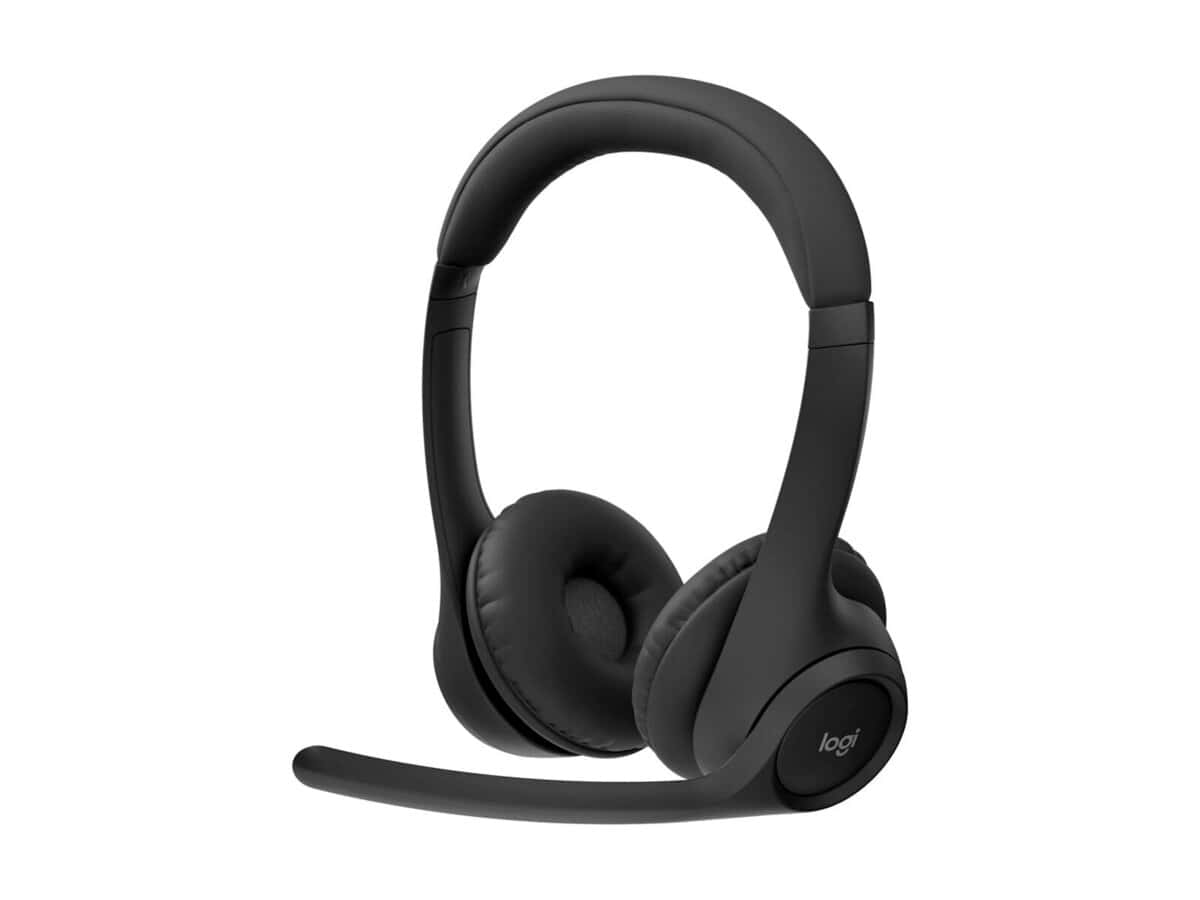
Logitech Zone 300 Wireless Bluetooth Headset

R2122.60

BB Store Credit Earn PreviewEarn approx. R53.07 BB Store Credit1% base • +1% payday • +0.5% weekend. Added after successful checkout and available for your next order.
Payflex Peach PAYMENTS Yoco
Brits Brothers Support

Need help with this part?

Fitment, stock, courier and returns help.
Click any service to learn more.
Repair package

Complete Repair Package

Open the package builder to choose your vehicle and repair area. It only loads after click.

Logitech Zone 300 Wireless Bluetooth Headset provides wireless Bluetooth audio for communication and media. Suitable for computer and mobile device use

Logitech Zone 300 Wireless Bluetooth Headset is a computer peripheral designed to provide wireless audio connectivity via Bluetooth. This headset is tailored for users seeking hands-free communication or audio listening without the limitations of wired connections. It fits users of Logitech Zone 300 devices, ensuring compatibility with systems that support Bluetooth audio devices.

This wireless headset offers an essential communication solution, commonly used in office environments, remote work setups, or any situation where mobility and ease of use are priorities. It connects to compatible devices effortlessly, allowing users to move freely without interrupting calls or audio streams. The headset typically sits over or in the ear, designed to deliver clear sound and voice transmission.

When considering this headset as a replacement or addition, compare connectivity options, response reliability, and comfort against your existing model. Ensuring the compatibility with Logitech Zone 300 or Bluetooth-enabled devices is crucial. Look for consistent Bluetooth performance, battery life, and microphone clarity depending on your specific needs.

  • Wireless Bluetooth connection for freedom of movement
  • Compatible with Logitech Zone 300 and other Bluetooth-enabled devices
  • Designed for comfortable, long-duration wear

Need help matching this item to your vehicle? Use Logitech K250 Wireless Keyboard, Vehicle Parts Finder or Request a Part with your VIN, engine number, part number or clear photos.

Research before ordering

Guides related to this product

Use these references to compare condition, fitment evidence and buying checks.

Frequently Asked Questions

Confirm fitment before ordering
Quick answers before you order. If anything is unclear, confirm fitment first using your VIN or part number and avoid mistakes.
Helpful product answers
Is the Logitech Zone 300 Wireless Bluetooth Headset compatible with all devices?
The Logitech Zone 300 Wireless Bluetooth Headset is designed to work seamlessly with most Bluetooth-enabled devices, including laptops, smartphones, and tablets. For optimal performance, ensure your device supports Bluetooth audio profiles. If you have a specific device in mind, providing its details can help confirm compatibility.
What is the wireless range of the Logitech Zone 300 headset?
This headset offers a reliable wireless range typical of Bluetooth devices, allowing you to move freely within a room or office without losing connection. Exact range can vary depending on environmental factors and device interference, but it generally supports up to 10 meters (33 feet) of wireless freedom.
How does the Logitech Zone 300 improve call quality?
The Logitech Zone 300 features noise-cancelling technology that reduces background noise, ensuring your voice comes through clearly during calls. This makes it ideal for busy office environments or remote work setups where clear communication is essential. The headset’s microphone is designed to capture your voice accurately while minimizing distractions.
Can I use the Logitech Zone 300 headset for both work calls and music?
Yes, the Logitech Zone 300 Wireless Bluetooth Headset is versatile enough for both professional calls and casual music listening. It delivers clear audio quality for voice and media, making it a great all-rounder for work and leisure. Its wireless design adds convenience whether you're on a call or enjoying your favourite tunes.
How do I connect the Logitech Zone 300 headset to my computer or phone?
To connect, activate Bluetooth on your device and put the headset into pairing mode by following the user manual instructions. Once detected, select the Logitech Zone 300 from the list of available devices. If you need assistance or want to request a specific part, you can contact our Trade Partners or use our Request a Part service.
What warranty or support options are available for the Logitech Zone 300 headset?
Warranty details are not specified, but Brits Brothers™ offers support through their Trade Partners network. If you encounter any issues or need assistance, contacting them directly ensures you receive expert help. For returns or refunds, please refer to our Refunds policy for guidance.