
Uncover the most common computer headset and audio accessory problems faced by South African buyers, from microphone failure to audio distortion. Get expert advice on symptoms, causes, and smart replacement choices.
What you need to know
Frequent problems with computer headsets or audio accessories include intermittent sound, microphone not working, charging issues, and device connectivity failures. Sudden static, muffled audio, or unresponsive controls often signal component fatigue or internal wiring faults. If troubleshooting basic causes like loose connections doesn't restore quality or performance, it's usually safer to replace the affected part with a trusted Trade Partner for continued reliability.
What you should know about Computer Headsets or Computer Audio Accessories
Frequent problems with computer headsets or audio accessories include intermittent sound, microphone not working, charging issues, and device connectivity failures. Sudden static, muffled audio, or unresponsive controls often signal component fatigue or internal wiring faults. If troubleshooting basic causes like loose connections doesn't restore quality or performance, it's usually safer to replace the affected part with a trusted Trade Partner for continued reliability.
Fitment checks before you buy
What affects the price
Common buying mistakes
Live listings in this browse area
Identifying Headset and Audio Accessory Problems by Symptom
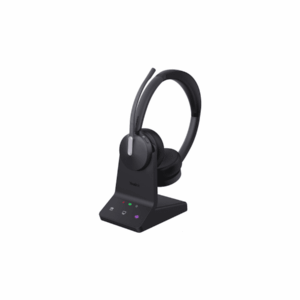
Most common problems with computer headsets or audio accessories in South Africa present clear symptoms: distorted or one-sided audio, crackling sounds, microphone not picking up your voice, or persistent connectivity dropouts. Intermittent function—such as a headset that disconnects randomly or only charges in a specific position—frequently points to internal component wear or connector issues. With wireless headsets like the Yealink WH66 Dual UC Workstation, a loss of battery life or difficulty pairing may indicate battery degradation or firmware incompatibility, sometimes fixed by updating drivers, but often requiring physical replacement.
Most Likely Causes Behind Persistent Audio and Charging Issues
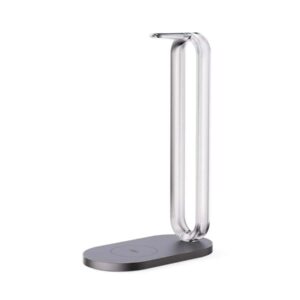
Worn cables, bent USB connectors, and frayed wires are leading physical causes of audio signal loss in wired models. For wireless headsets, repeated use of charging stands (see Yealink Charging Stand) or misalignment when docking can eventually erode charging contacts. Internal failures, like broken solder joints or depleted lithium batteries, can trigger sudden disconnects or make charging unreliable. Compatibility issues are increasingly common where modern audio accessories—especially those with proprietary protocols or Teams-certification—are used on legacy computers or unsupported apps.
Recommended Inspections Before Buying or Installing Used Audio Accessories
- Carefully audition both audio channels. Play a test clip and check for static, imbalance, or missing frequencies.
- Plug and unplug connectors several times; test on at least two devices to isolate issues.
- Inspect headband, ear cushions, and microphone boom for wear, stiffness, or repairs that could indicate earlier faults.
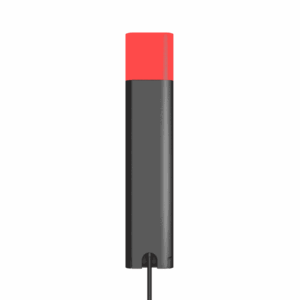
- Test all bundled accessories—charging bases, busylights, detachable cables—using official adapters such as the Yealink Busylight.
- Ask for verification of compatibility with your preferred apps and operating system before finalising purchase.
When Replacement Is the Safer and Smarter Route
If your troubleshooting reveals persistent audio distortion, major battery drain, or random shutdowns even after cleaning contacts and updating firmware, replacement is recommended. Trade Partners often provide higher-grade stock, sometimes refurbished and tested, reducing risk significantly compared to buying sight-unseen. Consider a replacement especially when:
- The headset can’t maintain a charge even with a working charging stand (see Yealink Wireless Charging Stand).
- The microphone remains silent or muffled despite all software and hardware settings being correct.
- Multiple users have reported issues with the specific model/series—known faults are easier to avoid via reputable reseller listings.
You can submit a fast part request via Request a Part or become a Trade Partner for priority stock in the most reliable used brands and accessories.
Used Parts Disclaimer
Used parts can differ by engine code, plugs, mounting points, side, trim level, year range and running changes. Always compare the exact match details before purchase. If the exact item is not listed, use Request a Part so the right option can be sourced.
For policy details, read Refund & Returns. If you want to move stock, see Sell Used Parts or Become a Trade Partner.
Delivery, sourcing and returns
Nationwide South African delivery is available on all listed computer headsets and accessories. Simple returns are handled under our Refund & Returns Policy. For fitment advice or troubleshooting, connect with us on the Brits Bros Parts app or submit a specific product query.
Frequently asked questions
What are the main symptoms of a faulty computer headset or audio accessory?
The most common symptoms include: intermittent sound or complete silence in one or both ears, microphone not transmitting, static or crackling during calls, unexplained shutdowns, or inability to recharge. Wireless headsets may also exhibit pairing or battery retention issues.
Should I repair or replace my problematic headset?
If the issue is cosmetic or caused by easily replaced pads, a repair might suffice. Persistent electronic, battery, or microphone faults usually justify full replacement—especially in professional or business environments requiring reliability. Replacement parts and quality used units are available through reputable Trade Partners on the category page.
How can I check if a headset is compatible with my PC or conferencing software?
Check manufacturer specifications or model compatibility lists before purchase. Many Teams-certified units—such as the Yealink WH64—offer optimised performance with Windows and major conferencing tools, but may have limited features on other platforms. When in doubt, request compatibility assurance from your Trade Partner before checkout.
Where can I find warranty or return information for used headsets and accessories?
Return policies and warranty details are available on each product listing, with overarching guidance found on our Refund & Returns page. For personalised part sourcing or support, use the Request a Part tool.
Ready to move?
Ready to upgrade or troubleshoot? Request a quality replacement headset or accessory now.
Live products related to this guide
Prices, stock and condition are read from the current WooCommerce catalogue.



Use the guide, then verify the exact part
Browse the live catalogue first. Send a detailed request when the exact match is not listed.
Related parts intelligence guides

Comprehensive Guide to Air Filters in South Africa: Identification, Fitment, and Maintenance
A detailed guide on air filters in South Africa, covering identification, fitment, maintenance, and buying advice for vehicle owners and workshops.

Comprehensive Guide to Car Aerials in South Africa
A detailed guide on car aerials in South Africa, covering types, identification, fitment, and maintenance, with practical tips and product recommendations.
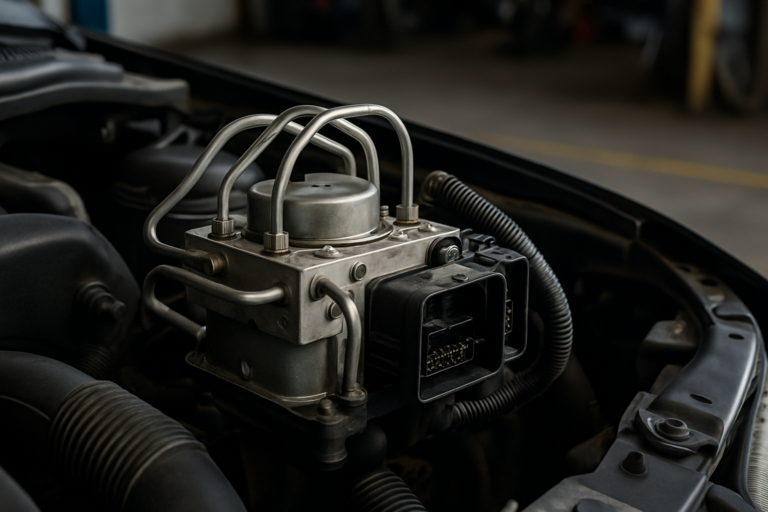
ABS Controller Parts in South Africa — Buying Guide (Brits Brothers™)
A practical guide for ABS Controller — what to look for, what's included, and quick links to live listings on Brits Brothers™.

Cam Pulley Parts in South Africa — Buying Guide (Brits Brothers™)
A practical guide for Cam Pulley — what to look for, what’s included, and quick links to live listings on Brits Brothers™.

Bumper Reflectors in South Africa: Identification, Fitment, and Maintenance Guide
This guide provides detailed information on bumper reflectors in South Africa, including identification, fitment, maintenance, and legal requirements for vehicle owners and…

Comprehensive Guide to Bumper Parts in South Africa
A detailed guide for South African vehicle owners on selecting, fitting, and purchasing bumper parts, featuring live product listings and expert advice.
