
Identify and resolve typical office headset issues with our expert guide. Understand symptoms, root causes, and inspection advice to ensure quality sound and comfort for South African workplaces.
What you need to know
Common computer and office headset problems include distorted audio, microphone failure, connectivity issues, and physical wear. Check cables, connectors, audio settings, and fit. If persistent faults impact call quality, comfort, or daily productivity, replacement is often the most effective long-term solution.
What you should know about Computer and Office – Headsets
Common computer and office headset problems include distorted audio, microphone failure, connectivity issues, and physical wear. Check cables, connectors, audio settings, and fit. If persistent faults impact call quality, comfort, or daily productivity, replacement is often the most effective long-term solution.
Fitment checks before you buy
What affects the price
Common buying mistakes
Live listings in this browse area
Spotting the Most Common Office Headset Faults
Most office headset issues become obvious quickly, especially when they disrupt daily calls or virtual meetings. Listen for hissing, static, or uneven audio balance between left and right speakers. Pay attention to intermittent connection drops, microphone echo, or unexplained muting.
- Cracked or exposed cables cause sudden loss of sound and are irreversible signs of wear.
- Stiff or squeaking headbands not only reduce comfort but may indicate internal weakening.
- If colleagues struggle to hear you clearly, test the mic on a different device—this rules out local software vs. physical failure.
- Loose or worn USB or jack connectors are a top culprit for dropouts and partial audio loss.
Regularly checking for these faults will help you avoid recurring frustration and signal when it’s time to upgrade.
Understanding the Causes: Wear, Compatibility, and Environment
Heavy daily use, shared office spaces, and rapid plugging/unplugging shorten headset lifespan. Cables at risk of snagging or rolling over by chair wheels become weak points. Also, not all headsets work seamlessly with every device—incorrect drivers or outdated software create hidden compatibility headaches.
- Frequent exposure to heat, sun, or dust (e.g., in open-plan offices) degrades plastics and foam pads.
- Budget models may lack durability in joinery or cable strain reliefs, accelerating breakdown.
- Mixing headset purposes (e.g., gaming set in a business context) may introduce quality or comfort compromises.
Recognising these environments and habits can extend the useful life of your chosen headset.
What to Inspect Before Buying a Used Office Headset
- Sound Test: Always trial both input (mic) and output (earphones) on your intended device. Use voice or tone checks to reveal static, dropouts, or mono-only playback.
- Cable & Connector Check: Flex cables gently. Any crackles or intermittent sound means underlying issues. Check both USB and jack tips for corrosion or looseness.
- Comfort & Hygiene: Inspect the texture and springiness of headband/ear pads. Worn foams or peeling surfaces indicate the need for parts replacement or prompt cleaning.
- Control Functions: Test any attached mute, volume, or inline call-accept controls for sticking and responsiveness.
- Overall Compatibility: Review your device’s requirements. South African offices often mix desktop and laptop platforms – ensure the headset suits both, or be prepared to use adapters.
For safe, user-tested headsets, browse our Computer and Office Headsets range.
Should I Repair or Replace My Office Headset?
Some issues, like mild earpad wear, can be addressed with replacement parts. However, major cable breaks, irreparable microphones, cracked headbands, or persistent audio loss typically warrant a full replacement. Especially in high-volume office settings or when remote work reliability is crucial, delays caused by unreliable headsets outweigh minimal savings from DIY repair.
- If your headset impacts meeting quality, slow response time, or comfort, replacement is the safer long-term investment.
- Consider trade-in or resale options: sell your used headset at Brits Bros to offset upgrade costs.
Need help finding the right replacement? Use our Request a Part tool or become a Trade Partner for ongoing supply.
Used Parts Disclaimer
Used parts can differ by engine code, plugs, mounting points, side, trim level, year range and running changes. Always compare the exact match details before purchase. If the exact item is not listed, use Request a Part so the right option can be sourced.
For policy details, read Refund & Returns. If you want to move stock, see Sell Used Parts or Become a Trade Partner.
Delivery, sourcing and returns
Fast courier delivery is available nationwide. For peace of mind on used or refurbished office headsets, see our full returns and refund policy at Brits Bros Returns & Refunds.
Frequently asked questions
Why does my office headset make crackling noises during calls?
Crackling usually signals damaged internal wiring or a loose connector, often at the cable’s entry points. Replace the headset if adjusting the cable doesn’t resolve the sound distortion, especially if issues persist across devices.
How long should a quality office headset last in typical South African workplaces?
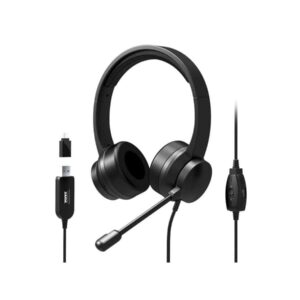
With regular use, a good office headset (like the Port Stereo Headset) should last 1-2 years. Longevity varies based on cable strain, hygiene, and storage. Extended exposure to heat or dust can shorten lifespan, so storing in a clean, dry environment helps.
Can replacing ear pads fix muffled sound?
If the ear pads are flattened or deteriorating, muffled audio may improve with new pads. However, if sound remains muffled after pad replacement, internal speaker or connection faults are likely and the headset may need replacing.
What's the best way to ensure headset compatibility for office applications?
Review connection type (USB, 3.5mm, Bluetooth) and verify it matches your computer or conference system. For software-based headsets, confirm compatibility with Microsoft Office or other communication platforms your team uses, such as that listed on our Microsoft Office Home 2024 page.
Ready to move?
Browse trusted used office headsets or request a replacement for fast, hassle-free meetings.
Live products related to this guide
Prices, stock and condition are read from the current WooCommerce catalogue.

Use the guide, then verify the exact part
Browse the live catalogue first. Send a detailed request when the exact match is not listed.
Related parts intelligence guides

Cam Pulley Parts in South Africa — Buying Guide (Brits Brothers™)
A practical guide for Cam Pulley — what to look for, what’s included, and quick links to live listings on Brits Brothers™.

Bumper Reflectors in South Africa: Identification, Fitment, and Maintenance Guide
This guide provides detailed information on bumper reflectors in South Africa, including identification, fitment, maintenance, and legal requirements for vehicle owners and…

Comprehensive Guide to Bumper Parts in South Africa
A detailed guide for South African vehicle owners on selecting, fitting, and purchasing bumper parts, featuring live product listings and expert advice.

Comprehensive Guide to Brake Fluid Reservoirs in South Africa
Understand the role, maintenance, and purchasing considerations of brake fluid reservoirs for South African vehicles.

Brake Calipers in South Africa: Identification, Fitment, and Buying Guide
Brake calipers house brake pads and pistons to slow wheels by friction. Choose the right caliper by fitment, condition, and quality when…

Bootlid Parts Buying Guide in South Africa: Identification, Condition & Fitment Tips
Practical guide for identifying, inspecting, and buying new or used bootlid parts with fitment tips for South African vehicles.
