Spot and resolve Bluetooth and computer mice issues before they disrupt your workflow. Understand key failure symptoms, likely causes, and inspection tips. Know when secure replacement is the safer route.
What you need to know
Frequent Bluetooth or computer mouse issues include erratic cursor movement, connection drops, unresponsive buttons, and battery drains. Investigate each symptom for underlying causes. If core controls fail or repairs cost more than a like-new replacement, sourcing a quality used unit is the safer, cost-effective option. Browse our premium selection or request a specific part for your needs.
What you should know about Bluetooth Mice or Computer Mice
Frequent Bluetooth or computer mouse issues include erratic cursor movement, connection drops, unresponsive buttons, and battery drains. Investigate each symptom for underlying causes. If core controls fail or repairs cost more than a like-new replacement, sourcing a quality used unit is the safer, cost-effective option. Browse our premium selection or request a specific part for your needs.
Fitment checks before you buy
What affects the price
Common buying mistakes
Live listings in this browse area
Identifying Bluetooth and Computer Mouse Symptoms
Bluetooth mice and traditional computer mice show their wear and faults through a range of clear symptoms. Look for:
- Delayed or jerky cursor movements – tracking inconsistencies can indicate a failing sensor, surface contamination, or weak wireless signals.
- Random disconnections – if the mouse drops its Bluetooth connection regularly, consider potential antenna or internal board issues.
- Buttons not clicking – dead or sticky buttons suggest worn switches, often from years of use or impact.
- Scroll wheel errors – skipping or non-functional scroll wheels are typically due to debris or aged components.
- Unusual battery drain – rapid battery loss may be traced to faulty circuitry or corroded battery terminals.
Always vet a used mouse for these symptoms before deciding to buy or fit.
Most Likely Causes: What Fails First
Bluetooth connectivity and hardware breakdowns are the top causes of mouse issues in South Africa. Key failure points include:
- Batteries: Overused or expired batteries often result in erratic performance or sudden shutdowns.
- Switches: Click switches are mechanical and eventually wear out, causing missed or stuck clicks.
- Sensors: Dust, hair, or impact to the sensor area leads to tracking issues—especially with optical mice.
- Board & Solder Points: Physical shocks, droppage, or moisture can weaken internal solder points, breaking connections and causing intermittent failures.
Older mice are more vulnerable to these issues. Recognising high-risk symptoms early keeps you ahead of costly downtime.
Buyer Inspection Checklist: Avoid Common Pitfalls
Before selecting a used Bluetooth or computer mouse via Brits Bros Parts, run through this checklist:
- Test physical inputs: Confirm every button and wheel works reliably and without lag.
- Try pairing on multiple devices: If possible, ensure the mouse connects smoothly and maintains a stable connection.
- Inspect battery compartment: Look for signs of corrosion, residue, or weakened springs.
- Evaluate device compatibility: Check that the mouse and your chosen OS or hardware are a confirmed match.
- Assess external condition: Scratches, cracks, or movement in the shell sometimes point to deeper internal issues.
Never skip these steps, and make full use of our returns policy should problems surface post-purchase.
When Replacement Is the Safer Choice
Some Bluetooth or wired mouse issues are quick DIY fixes, such as cleaning or battery swaps. But replacement is usually advisable when:
- Core controls are unresponsive or require repeated pressure to activate.
- Intermittent connectivity persists after trying fresh batteries and re-pairing.
- Physical damage is visible—split shells, rattling, or broken scroll wheels.
- Professional repair cost exceeds a reliable used replacement.
Explore our curated Bluetooth Mice or Computer Mice listings for tested pre-owned devices. Not seeing the exact model? Request a Part and our Trade Partners network will respond quickly with suitable options.
Used Parts Disclaimer
Used parts can differ by engine code, plugs, mounting points, side, trim level, year range and running changes. Always compare the exact match details before purchase. If the exact item is not listed, use Request a Part so the right option can be sourced.
For policy details, read Refund & Returns. If you want to move stock, see Sell Used Parts or Become a Trade Partner.
Delivery, sourcing and returns
Nationwide delivery available with every used mouse or tech part. Review our transparent Refund & Returns Policy for peace of mind on all orders. Custom part queries? Request via Request a Part, or sell your own tech securely on Sell Used Parts.
Frequently asked questions
How do I know if my Bluetooth mouse needs replacing instead of repair?
If your mouse consistently loses connection, fails to respond to inputs, or has visible damage, replacement is often safer and more cost-effective than repair, especially for non-premium models.
What should I test before buying a used computer mouse?
Check all buttons, scroll wheels, and Bluetooth connectivity. Inspect battery life and the condition of the casing or sensor. Confirm it pairs with your preferred device and returns policy applies.
Why does my mouse cursor move erratically?
This could be due to a dirty or failing sensor, low battery, or interference in Bluetooth models. Try cleaning the sensor, replacing the battery, or checking for device interference.
Can I get delivery and support for used mice anywhere in South Africa?
Yes, Brits Bros Parts offers nationwide delivery and practical support on every tech part or mouse purchased. Check our category and use the request form for custom queries.
Ready to move?
Search quality used mice now or request exactly what you need—get connected, fast.
Live products related to this guide
Prices, stock and condition are read from the current WooCommerce catalogue.

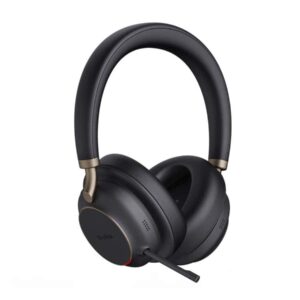
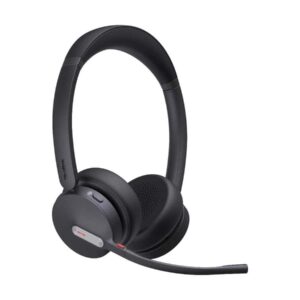
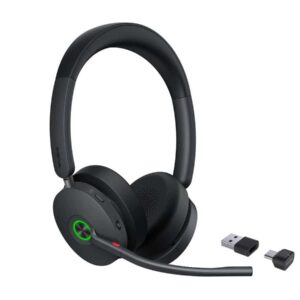


Use the guide, then verify the exact part
Browse the live catalogue first. Send a detailed request when the exact match is not listed.
Related parts intelligence guides

Comprehensive Guide to CV Joints: Identification, Inspection, and Maintenance
A detailed guide on CV joints, covering identification, inspection, and maintenance to keep your vehicle running smoothly.

CV Boot Parts Buying Guide South Africa: Identification, Fitment & Inspection Tips
A practical CV Boot guide covering identification, fitment, inspection and buying tips for South African vehicles with direct product links.

Crankshaft Seal Buying Guide for South African Vehicles with Fitment & Inspection Tips
Essential tips for identifying, inspecting, and buying crankshaft seals. Includes fitment advice and links to quality parts available at Brits Brothers South…

Clutch Cable Buying Guide for South African Vehicles: Identification, Fitment & Maintenance
Learn how to identify and select the correct clutch cable for your vehicle in South Africa, including practical buying checks and maintenance…

Cabin Filter Buying Guide for South African Vehicles: Identification, Fitment & Maintenance
A practical guide to cabin filters in South Africa, covering identification, fitment, inspection, and buying tips for vehicle owners and workshops.

Comprehensive Guide to Air Filters in South Africa: Identification, Fitment, and Maintenance
A detailed guide on air filters in South Africa, covering identification, fitment, maintenance, and buying advice for vehicle owners and workshops.