
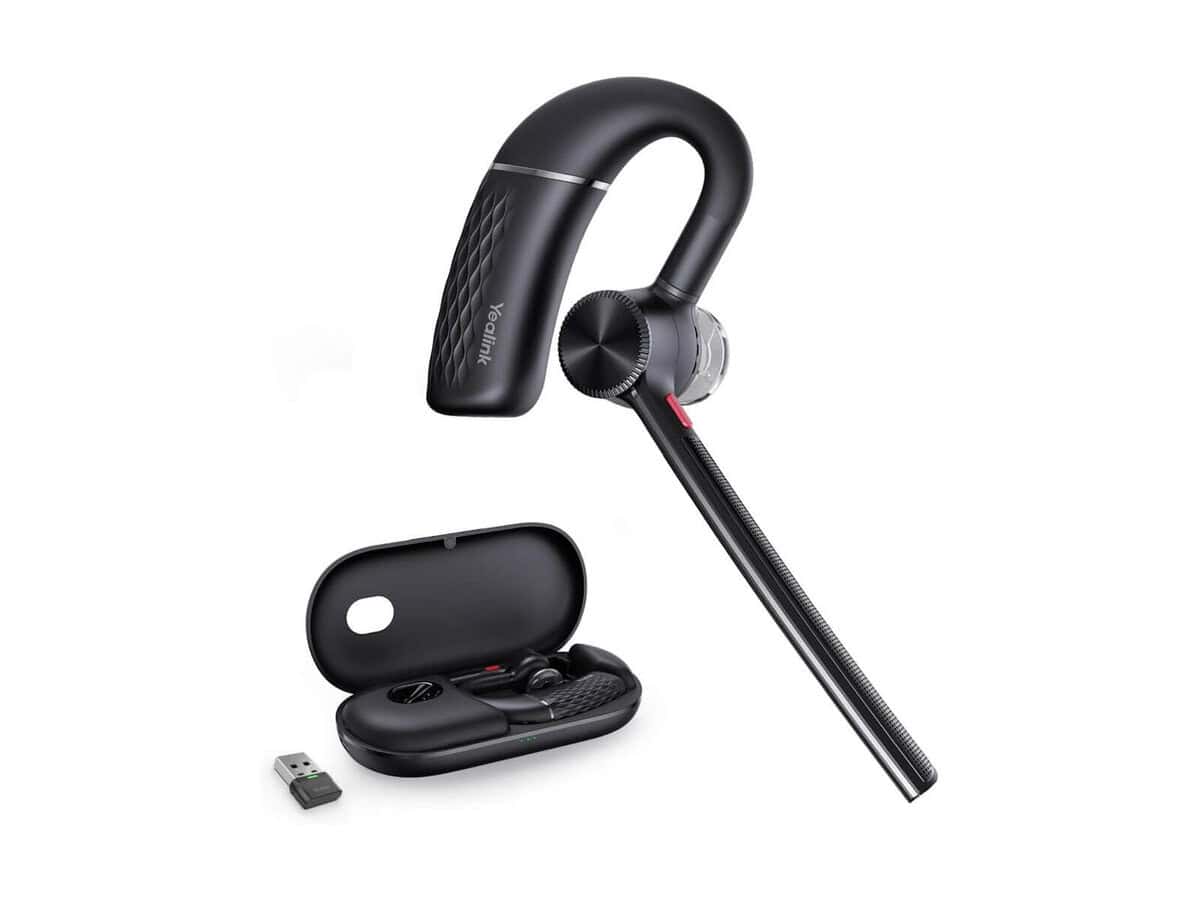
Yealink BH71 Pro Mono Bluetooth Headset

R3144.60

BB Store Credit Earn PreviewEarn approx. R94.34 BB Store Credit1% base • +2% order tier. Added after successful checkout and available for your next order.
Payflex Peach PAYMENTS Yoco
Brits Brothers Support

Need help with this part?

Fitment, stock, courier and returns help.
Click any service to learn more.
Repair package

Complete Repair Package

Open the package builder to choose your vehicle and repair area. It only loads after click.

Yealink BH71 Pro Mono Bluetooth Headset offers Bluetooth wireless connectivity for mono audio communication. Suitable for use in computer and Bluetooth device setups

Yealink BH71 Pro Mono Bluetooth Headset is a communication device designed for clear and convenient wireless audio connectivity. This headset provides a mono earpiece configuration, making it suitable for users who prefer to keep one ear free while maintaining high-quality sound on the other side. It connects via Bluetooth, offering a cable-free experience that enhances mobility and ease of use during calls or computer interactions.

This headset is categorized under Bluetooth Mice or Computer Mice, indicating its compatibility with various computing devices requiring Bluetooth input. The unit is identified with the SKU BB-395567, which helps in verifying this exact model for compatibility and ordering purposes. The Yealink BH71 Pro designation highlights the product line it belongs to, pointing to its intended use with devices that support Yealink’s communication standards.

When considering this headset, check the Bluetooth compatibility of your device and ensure the mono headset style matches your preferences or professional needs. Comparing the old audio device or headset you have with this listing will help ensure you select the correct headset for call clarity and comfort. If you have specific requirements or questions about fitment or device pairing, reaching out to a sales advisor or submitting a request for a part can guide your purchase.

Need help matching this item to your vehicle? Use Yealink BH76 Plus Over-ear Bluetooth Headset, Vehicle Parts Finder or Request a Part with your VIN, engine number, part number or clear photos.

Frequently Asked Questions

Confirm fitment before ordering
Quick answers before you order. If anything is unclear, confirm fitment first using your VIN or part number and avoid mistakes.
Helpful product answers
Is the Yealink BH71 Pro Mono Bluetooth Headset compatible with all Bluetooth devices?
The Yealink BH71 Pro Mono Bluetooth Headset is designed to work seamlessly with most Bluetooth-enabled devices, including smartphones, tablets, and computers. However, compatibility can vary depending on your device's Bluetooth version and software. For optimal performance, ensure your device supports Bluetooth 5.0 or higher.
How long does the battery last on the Yealink BH71 Pro Mono Bluetooth Headset?
The headset offers impressive battery life, providing up to 10 hours of talk time on a single charge. Standby time can extend even longer, making it ideal for full workdays without frequent recharging. Battery performance may vary based on usage and environmental factors.
Can I use the Yealink BH71 Pro Mono Bluetooth Headset for calls on my PC?
Yes, the Yealink BH71 Pro Mono Bluetooth Headset is suitable for PC calls, especially if your computer supports Bluetooth connectivity. It delivers clear audio and noise cancellation features that enhance call quality. If your PC lacks Bluetooth, consider using a compatible Bluetooth adapter for connection.
Does the Yealink BH71 Pro Mono Bluetooth Headset support multi-device pairing?
This headset supports multi-device pairing, allowing you to connect to two devices simultaneously. This feature lets you switch effortlessly between calls on your phone and audio from your computer without needing to disconnect and reconnect. It’s perfect for busy professionals managing multiple devices.
What should I do if the Yealink BH71 Pro Mono Bluetooth Headset is not pairing with my device?
If you experience pairing issues, first ensure the headset is fully charged and in pairing mode. Restart your Bluetooth device and remove any previous connections to the headset. For further assistance, you can contact our Trade Partners or request support via WhatsApp.
Can Trade Partners get special support or pricing for the Yealink BH71 Pro Mono Bluetooth Headset?
Yes, Trade Partners can access dedicated support and potential pricing benefits for the Yealink BH71 Pro Mono Bluetooth Headset. To learn more about partnership opportunities and exclusive offers, visit our Trade Partners page or reach out directly for personalised assistance.