
Confused by malfunctioning auto diagnostic tools? This guide covers common tool issues, how to recognise faults, likely causes, and insider inspection steps—helping South African buyers avoid downtime and unnecessary sp…
What you need to know
Intermittent faults, failure to connect, inaccurate readings, and outdated software are common auto diagnostic tool issues. Check for cable wear, software lag, or battery problems. Frequent errors suggest it's safer to source a quality replacement via trusted Trade Partners.
What you should know about Auto Diagnostic Tools & Equipment
Intermittent faults, failure to connect, inaccurate readings, and outdated software are common auto diagnostic tool issues. Check for cable wear, software lag, or battery problems. Frequent errors suggest it's safer to source a quality replacement via trusted Trade Partners.
Fitment checks before you buy
What affects the price
Common buying mistakes
Live listings in this browse area
Recognising Problem Symptoms in Diagnostic Tools
Symptoms of a failing diagnostic tool range from inconsistent vehicle communication, persistent error/fault codes despite vehicle repairs, or outright failure to power on. Flickering screens, repeated loss of Bluetooth/WiFi connection, or slow menu response are also common. If your tool only works reliably on one or two models but fails to read others in its supported list, this suggests underlying compatibility or connection issues. Trusting recurring tool faults can lead to misdiagnosis, wasted effort, and missed repair revenue.
Most Likely Causes: Hardware vs. Software Faults
Physical wear—frayed OBD cables, worn out diagnostic adapters, or damaged ports—contributes directly to unreliable tool operation. Internal battery degradation in portable scanners reduces session time and can cause abrupt shutdowns. Software instability, outdated firmware, or restricted updates (common in cloned models) prevents tools like the Autel Maxisys VCI from supporting the latest vehicles or ECU protocols. Environmental factors like dust and workshop moisture can corrode contacts if not regularly maintained.
What Buyers Should Inspect Before Spending
- Connector & Cable Checks: Run your hand along every cable for hidden cuts, bends, and pin damage.
- Live Function Test: Connect the tool to at least two model years/brands for instant reading.
- Software Update Status: Ask for screenshots or video proof of recent firmware updates and licensing.
- Accessory Verification: Ensure all adapters and cases are present per the original product list.
- Battery & Charging Test: If battery operated, confirm its ability to hold charge under use.
When Replacement is the Smarter, Safer Choice
If repeated errors persist after known-good cable swaps, updating firmware, and battery checks, suspect the tool’s mainboard or internal memory has reached end-of-life. Slow booting, unreliable key functions, or regular software crashes justify replacement—especially for busy South African workshops that can’t risk productivity loss. When sourcing pre-owned units, select working tools from trade-verified sellers via our Diagnostic Tools & Equipment section or request help from Trade Partners. Remember: using faulty equipment risks not only time but possible warranty complications with customer vehicles.
Used Parts Disclaimer
Used parts can differ by engine code, plugs, mounting points, side, trim level, year range and running changes. Always compare the exact match details before purchase. If the exact item is not listed, use Request a Part so the right option can be sourced.
For policy details, read Refund & Returns. If you want to move stock, see Sell Used Parts or Become a Trade Partner.
Delivery, sourcing and returns
Most diagnostic tools and equipment ship throughout South Africa with tracked delivery options. Always review the latest Refund & Returns Policy to understand your rights on tested, guaranteed, or non-returnable electronic items.
Frequently asked questions
Why does my auto diagnostic tool keep disconnecting?
Repeated disconnections usually indicate cable damage, port corrosion, or internal wireless module issues. Start by inspecting every connector for bent pins before checking for software compatibility gaps or battery drain.
Can I update used diagnostic tools to work with newer car models in South Africa?
Yes, if the original manufacturer provides ongoing support and the unit’s licensing is valid. Always confirm tool compatibility with South African models and check for region-specific updates or locked features.
Is it safe to buy second-hand diagnostic equipment?
It’s safe when buying from trade-verified sellers who offer tested, working units and documented software/licenses. Use trusted marketplaces and contact Request a Part for specific needs.
What should I do if my diagnostic tool reports inconsistent data?
Compare readings with another trusted diagnostic unit first. If discrepancies persist, inspect cables, try software updates, and check for known compatibility issues. Ongoing inconsistency means it’s time to consider replacement.
Ready to move?
Upgrade your diagnostics—request, compare, or sell reliable diagnostic tools with Brits Bros Parts today.
Live products related to this guide
Prices, stock and condition are read from the current WooCommerce catalogue.
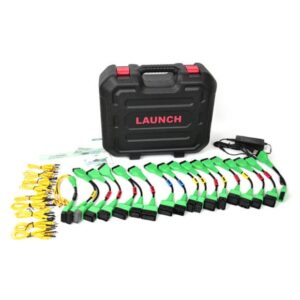
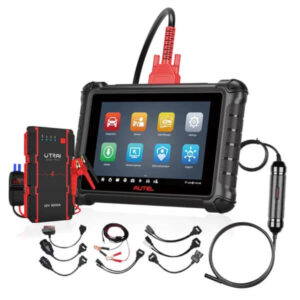
Use the guide, then verify the exact part
Browse the live catalogue first. Send a detailed request when the exact match is not listed.
Related parts intelligence guides

Car Air Vents Buying Guide for South African Vehicle Owners and Workshops
Understand the importance of car air vents, how to confirm fitment, inspect condition, and practical buying tips for South African vehicles from…

Bulb Holder Parts in South Africa — Identification, Fitment & Buying Tips
Find out how to identify and fit the right bulb holder parts in South Africa with practical tips and links to live…

Accessories Parts in South Africa — Practical Buying Guide for Vehicle Owners and Workshops
A useful guide for South African drivers and workshops on vehicle accessories — how to identify, inspect, and buy from trusted local…

Comprehensive Fuel Filter Guide for South African Vehicle Owners and Workshops
A detailed guide on fuel filters, covering their function, identification, fitment, and maintenance for South African vehicles.

Fuel Cap Buying Guide for South African Vehicle Owners and Workshops
A practical guide for identifying and purchasing the correct fuel cap in South Africa to prevent contamination and check engine errors.

EGR Valve Buying Guide for South African Vehicle Owners and Workshops
Practical guide for identifying, inspecting, and buying EGR valves for South African vehicles, with product examples and inspection tips to avoid common…


