
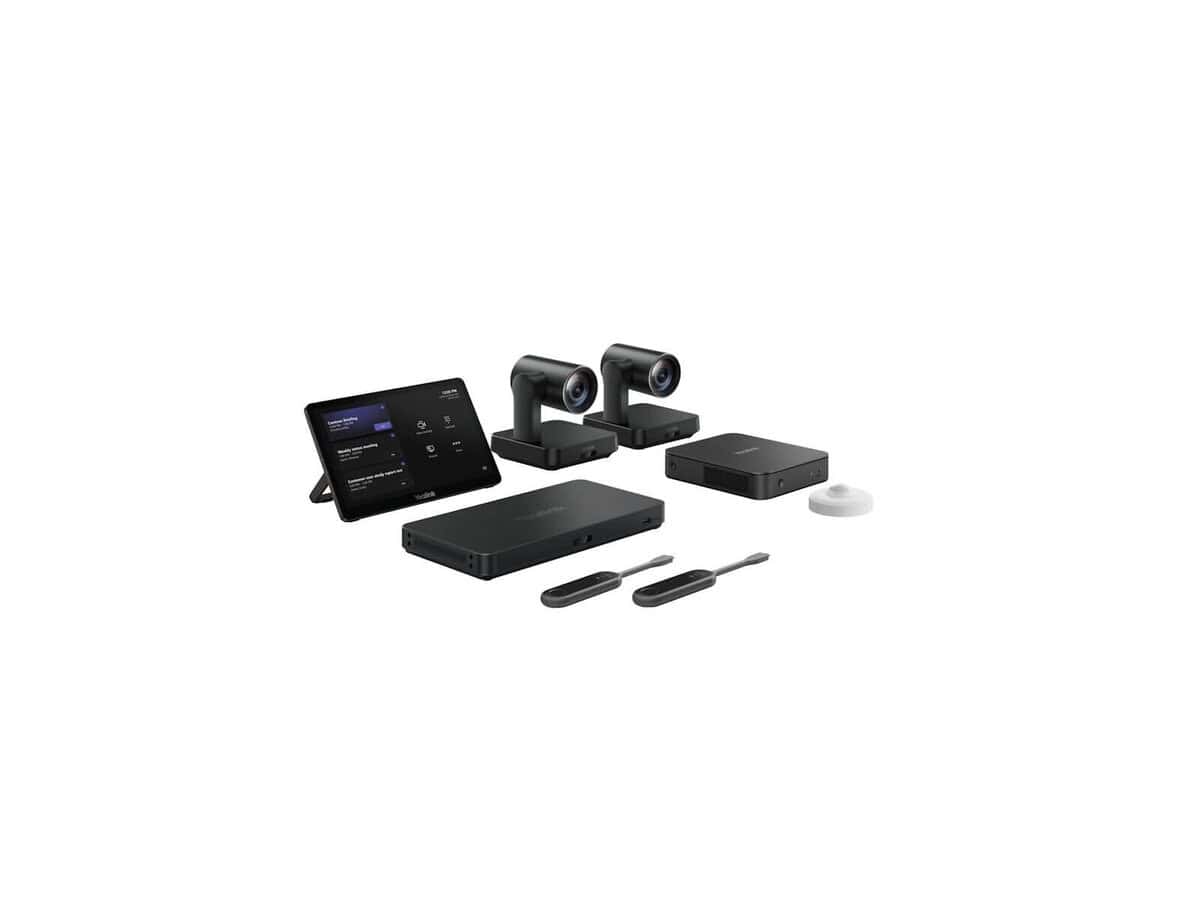
Yealink MVC940 Full Video Conferencing System

R133414.60

BB Store Credit Earn PreviewEarn approx. R350.00 BB Store Credit1% base • +4% order tier. Added after successful checkout and available for your next order.
Payflex Peach PAYMENTS Yoco
Brits Brothers SupportNeed help with this part?Fitment, stock, courier and returns help.
WhatsApp
Use Sales Desk, or choose a rotating WhatsApp support line.
Premium System

Complete Repair Package

Open the package builder to choose your vehicle and repair area. It only loads after click.

Yealink MVC940 Full Video Conferencing System is a comprehensive video conferencing solution categorized under operating system software. It features SKU BB-395460 and supports full video communication capabilities

Fitment Check
RepairMatch™ Fitment
Confirm this part against your vehicle before you order.
Check Fitment
Opens fitment page
Store Credit Deal
ThunderDeal™ Negotiator
Make a serious online offer and turn the approved value into BB Store Credit.
Open Negotiator
Shortcode page
Repair Package
Complete Repair Bundle
Build a matching repair package using this part as the starting point.
Build Bundle
Opens bundle page
Vehicle Search
Vehicle Parts Finder
Search by vehicle and find related parts faster.
Find Vehicle Parts
Opens finder page

Yealink MVC940 Full Video Conferencing System is a comprehensive solution designed for advanced video communication needs. This unit bundles essential components to enable seamless video calls and collaboration, often used in professional and corporate environments. The system is categorized under Operating System Software, highlighting its integral role in facilitating modern digital communication setups.

The MVC940 system typically integrates microphones, cameras, and codec hardware, combining audio and video inputs to deliver clear conferencing sessions. Buyers should ensure compatibility with their existing conference room infrastructure and verify that the system meets their connectivity and room size requirements. Comparing with previous conferencing equipment in terms of input/output options and supported platforms can help guide selection.

This listing for the Yealink MVC940 is identified by SKU BB-395460, which can assist in matching orders or referencing in technical support. When considering this full video conferencing system, check that your meeting space and IT environment can support the software and hardware demands it entails. For tailored advice or questions on fitment or additional components, contacting a dedicated sales desk or submitting a request for parts is recommended.

Need help matching this item to your vehicle? Use Yealink MeetingEye 600 Room System, Vehicle Parts Finder or Request a Part with your VIN, engine number, part number or clear photos.

Frequently Asked Questions

Confirm fitment before ordering
Quick answers before you order. If anything is unclear, confirm fitment first using your VIN or part number and avoid mistakes.
Helpful product answers
What are the key features of the Yealink MVC940 Full Video Conferencing System?
The Yealink MVC940 is designed for seamless video conferencing with high-definition video and audio quality. It integrates with Microsoft Teams Rooms, providing a smooth collaboration experience. The system includes a camera, microphones, and a codec, all optimized for medium to large meeting rooms.
How do I set up the Yealink MVC940 system for the first time?
Start by connecting the codec to your display and network, then position the camera and microphones according to the room layout. Power on the system and follow the on-screen setup wizard to configure network settings and Microsoft Teams integration. Avoid placing microphones too far from participants, as this can reduce audio clarity; reposition them closer to the speaking area for best results.
Is the Yealink MVC940 compatible with other video conferencing platforms besides Microsoft Teams?
This system is primarily optimized for Microsoft Teams Rooms, ensuring full feature support and integration. While it may support standard SIP or H.323 protocols, functionality with other platforms might be limited or require additional configuration. For specific compatibility questions, contacting our Trade Partners is recommended.
What should I do if I need replacement parts for the Yealink MVC940?
If you require replacement parts, you can submit a request through our dedicated parts service. This ensures you receive genuine components compatible with your system. Visit Request a Part to initiate your request and get assistance from our support team.
Can the Yealink MVC940 system be upgraded or expanded?
The system supports additional microphones and camera accessories to enhance coverage in larger rooms. However, upgrades should be planned carefully to maintain system compatibility and performance. Consult with our Trade Partners to explore expansion options tailored to your specific meeting room needs.