
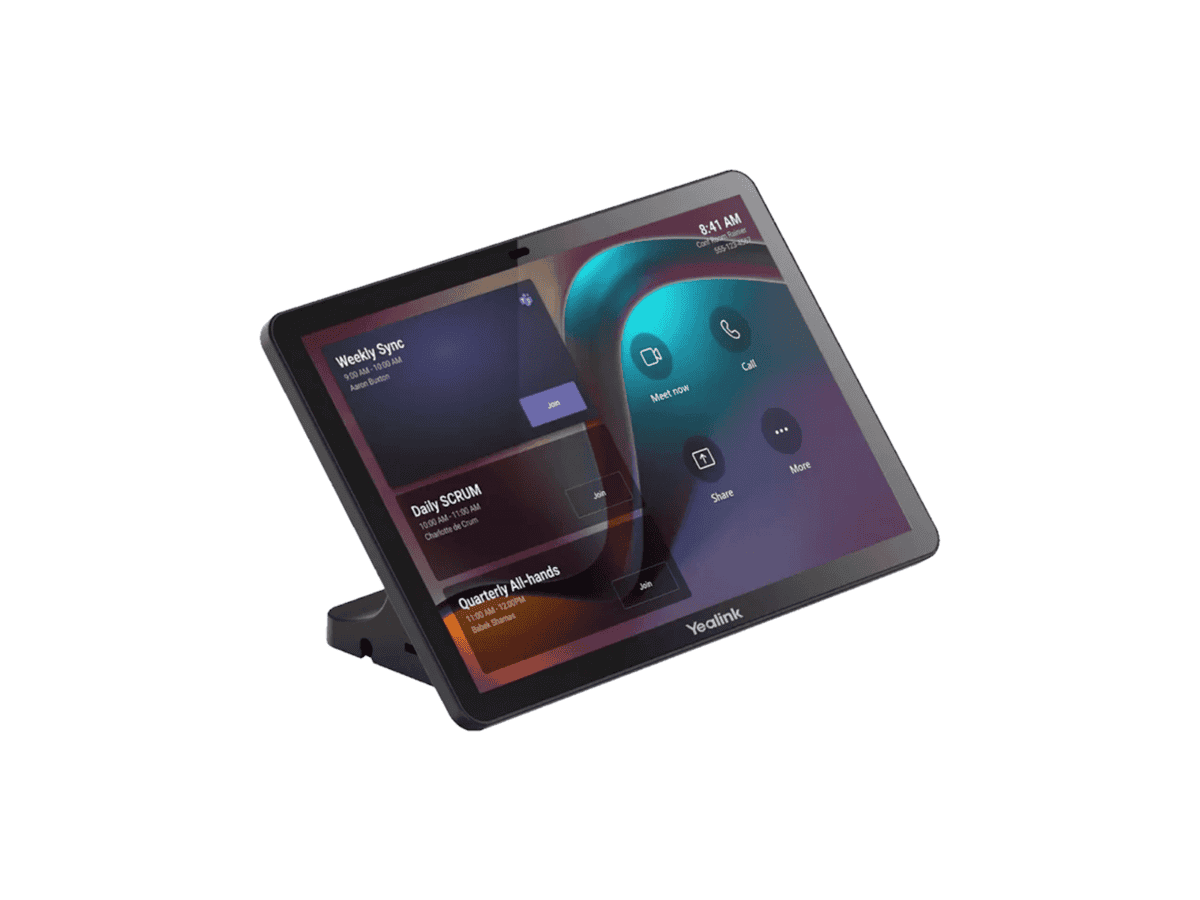
Yealink CTP25 Touch Console For A40

R17214.60

BB Store Credit Earn PreviewEarn approx. R350.00 BB Store Credit1% base • +4% order tier • +1% payday • +0.5% weekend. Added after successful checkout and available for your next order.
Payflex Peach PAYMENTS Yoco
Brits Brothers Support

Need help with this part?

Fitment, stock, courier and returns help.
Click any service to learn more.
Repair package

Complete Repair Package

Open the package builder to choose your vehicle and repair area. It only loads after click.

Yealink CTP25 Touch Console For A40 is an auto part in Satin Touch White. Check compatibility with your device before purchase

Yealink CTP25 Touch Console For A40 is a specialized touchscreen console designed for integration with the Yealink CTP25 Touch system, tailored for the A40 platform. This part serves as an interactive control interface, commonly used in environments requiring clear visibility and responsive touch capability for system management.

The console is identified by SKU BB-395526 and falls under the Satin Touch White category, indicating its finish and design aesthetic. It is primarily a component for use with the Yealink CTP25 Touch setup, providing the necessary user input interface to control various connected communication or conferencing devices. This console replaces the control panel element within the A40 system, making it essential for restoring or upgrading user interaction capabilities.

When considering a purchase, compare the physical design, connector compatibility, and interface style with your existing touch console. Confirm that the console corresponds to the A40 model requirement and that the Satin Touch White finish meets your visual preference. For any uncertainty on fit or compatibility, consulting the Sales Desk or submitting a Request a Part can guide you to the right match.

Need help matching this item to your vehicle? Use Yealink MTouch E2 8″ Touch Panel, Vehicle Parts Finder or Request a Part with your VIN, engine number, part number or clear photos.

Frequently Asked Questions

Confirm fitment before ordering
Quick answers before you order. If anything is unclear, confirm fitment first using your VIN or part number and avoid mistakes.
Helpful product answers
What is the Yealink CTP25 Touch Console designed for?
The Yealink CTP25 Touch Console is specifically designed to complement the Yealink A40 IP phone. It provides an intuitive touch interface that enhances call management and productivity by allowing quick access to contacts, call logs, and other phone features. This makes it ideal for busy office environments requiring efficient communication.
How does the Yealink CTP25 improve call handling?
With its 5-inch touch screen, the CTP25 allows users to easily manage multiple calls, view call status, and access programmable keys for speed dialing. This reduces the need to navigate through complex menus on the main phone, streamlining call control and improving workflow efficiency.
Is the Yealink CTP25 compatible with other Yealink phone models?
The CTP25 Touch Console is designed specifically for use with the Yealink A40 IP phone. Compatibility with other Yealink models is not specified, so it is recommended to use it only with the A40 to ensure full functionality and support.
What are the installation requirements for the Yealink CTP25?
The console connects directly to the Yealink A40 phone via a dedicated port, requiring no additional power supply as it draws power from the phone itself. Installation is straightforward, typically involving plugging the console into the phone and configuring settings through the phone’s interface.
Can Trade Partners access special support or pricing for the Yealink CTP25?
Yes, Trade Partners can benefit from dedicated support and pricing options for the Yealink CTP25 Touch Console. For more information on becoming a Trade Partner or to access exclusive benefits, visit the Trade Partners page.
What should I do if I need a replacement part for the Yealink CTP25?
If you require a replacement part for the Yealink CTP25 Touch Console, you can submit a request through the Brits Brothers parts portal. Visit Request a Part to provide details and receive assistance from the support team.