
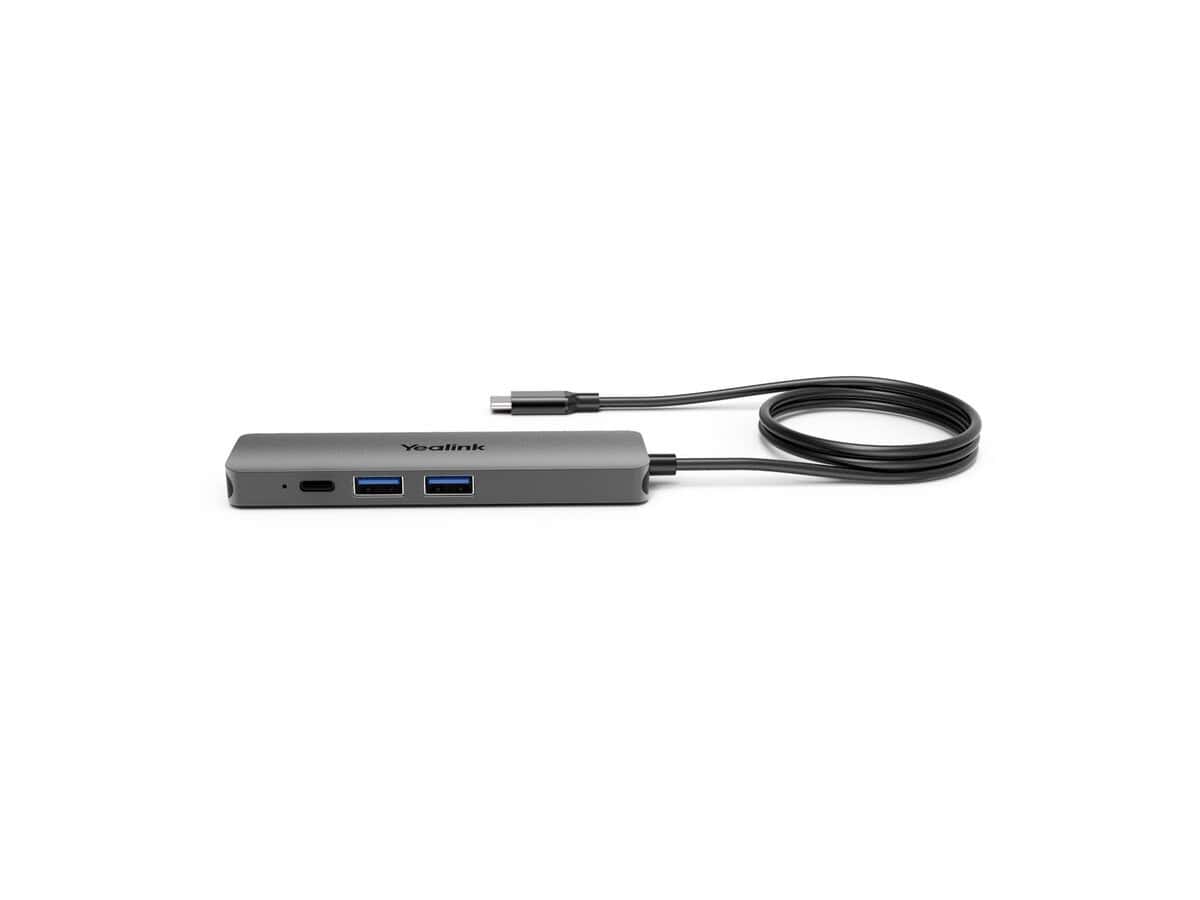
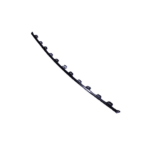
Yealink BYOD Connection Box

R2304.60

BB Store Credit Earn PreviewEarn approx. R57.62 BB Store Credit1% base • +1% payday • +0.5% weekend. Added after successful checkout and available for your next order.
Payflex Peach PAYMENTS Yoco
Brits Brothers SupportNeed help with this part?Fitment, stock, courier and returns help.
WhatsApp
Use Sales Desk, or choose a rotating WhatsApp support line.
Premium System

Complete Repair Package

Open the package builder to choose your vehicle and repair area. It only loads after click.

Yealink BYOD Connection Box is a mechanical part designed as a top box bracket. It matches Yealink BYOD Connection vehicle systems and is identified by SKU BB-395535

Fitment Check
RepairMatch™ Fitment
Confirm this part against your vehicle before you order.
Check Fitment
Opens fitment page
Store Credit Deal
ThunderDeal™ Negotiator
Make a serious online offer and turn the approved value into BB Store Credit.
Open Negotiator
Shortcode page
Repair Package
Complete Repair Bundle
Build a matching repair package using this part as the starting point.
Build Bundle
Opens bundle page
Vehicle Search
Vehicle Parts Finder
Search by vehicle and find related parts faster.
Find Vehicle Parts
Opens finder page

Yealink BYOD Connection Box is a mechanical part categorized as a top box bracket designed for the Yealink BYOD Connection system. This component plays a structural role in securing the connection box, helping to maintain a reliable and stable setup for your BYOD (Bring Your Own Device) environment.

The bracket is typically used to support or mount the connection box in a defined position, ensuring the proper alignment and accessibility required for the device’s operation. When considering this part, compare it with the existing bracket on your current Yealink BYOD system to verify compatibility and mounting points before purchasing.

Choosing the correct connection box bracket is essential for maintaining the integrity of your Yealink BYOD hardware setup. This listing is specific to the this part bracket and should be matched with your device’s specifications and model configuration. If uncertain about fitment or part details, consulting the sales desk or submitting a request for part details can provide additional clarity.

  • Part Category: Top Box Bracket
  • SKU Reference: BB-395535
  • Designed specifically for Yealink BYOD Connection units

If this repair may need matching clips, brackets, lights, panels or more than one part, check Huawei IdeaHub Wall Mount Bracket, Quick Repair Bundle or Request a Part before ordering.

Frequently Asked Questions

Confirm fitment before ordering
Quick answers before you order. If anything is unclear, confirm fitment first using your VIN or part number and avoid mistakes.
Helpful product answers
What is the primary function of the Yealink BYOD Connection Box?
The Yealink BYOD Connection Box is designed to facilitate seamless integration of personal devices with Yealink conference systems. It enables users to connect their own laptops or mobile devices to the meeting room equipment, enhancing collaboration without the need for additional adapters or cables.
Is the Yealink BYOD Connection Box compatible with all Yealink conference phones?
Compatibility depends on the specific Yealink conference model. The BYOD Connection Box is typically suited for models that support external device connections via USB or HDMI. For precise fitment, consult the product documentation or contact our Trade Partners for detailed compatibility information.
Can I use the Yealink BYOD Connection Box with non-Yealink devices?
While primarily designed for Yealink systems, the connection box may support certain third-party devices if they meet the required interface standards. However, optimal performance and full functionality are guaranteed only with compatible Yealink products. For tailored advice, reach out to our Trade Partners.
How do I check if the Yealink BYOD Connection Box fits my existing setup?
Verify the connection ports on your current Yealink conference equipment and ensure they match those on the BYOD Connection Box. Additionally, review the physical mounting requirements if applicable. For a thorough assessment, our Trade Partners can provide expert guidance tailored to your setup.
What should I do if the Yealink BYOD Connection Box is not functioning as expected?
First, ensure all cables are securely connected and that your device is compatible. Restart both the conference system and your personal device. If issues persist, consult the user manual or contact our Trade Partners for technical support. For returns or refunds, please visit our Refunds page.