
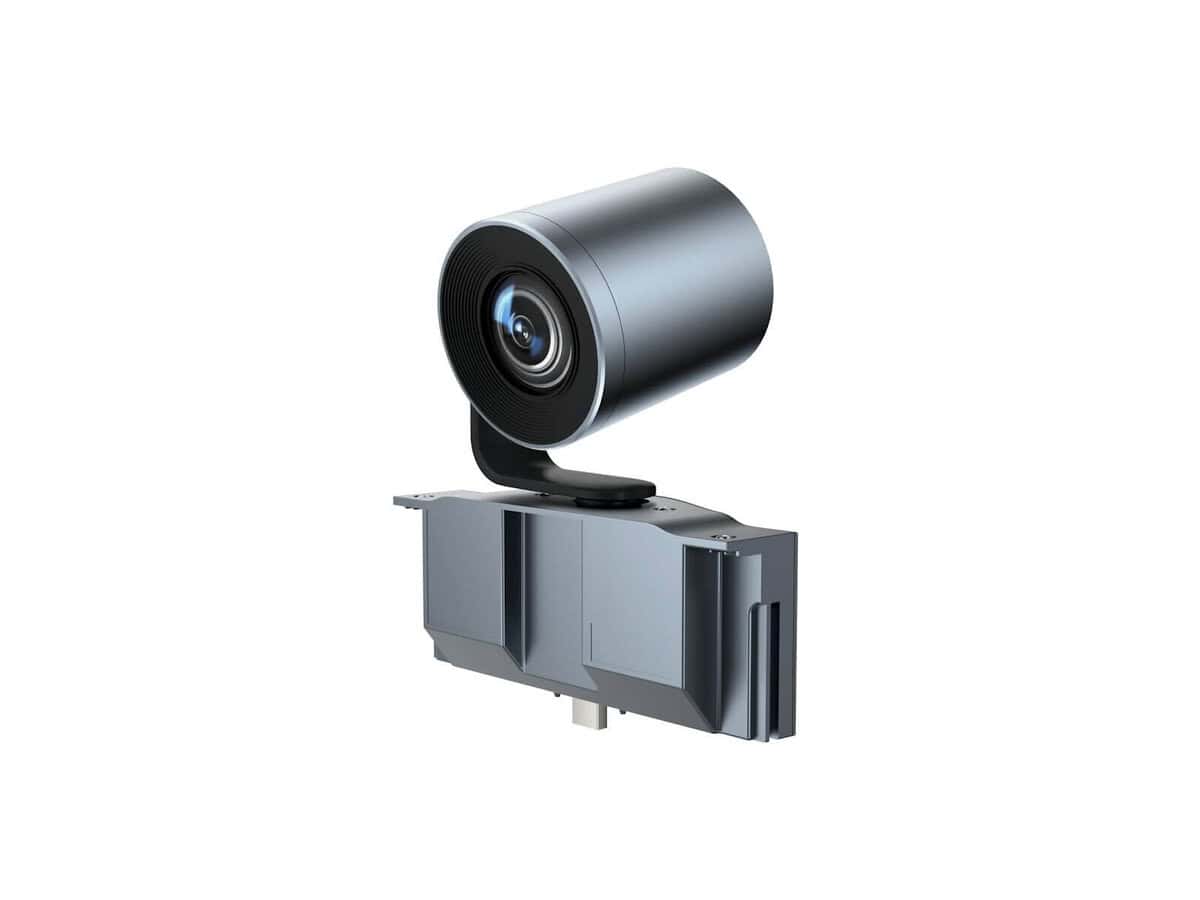
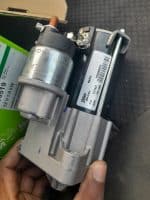
Yealink 6x Optical PTZ Camera for MeetingBoard

R13798.60

BB Store Credit Earn PreviewEarn approx. R350.00 BB Store Credit1% base • +4% order tier • +1% payday • +0.5% weekend. Added after successful checkout and available for your next order.
Payflex Peach PAYMENTS Yoco
Brits Brothers SupportNeed help with this part?Fitment, stock, courier and returns help.
WhatsApp
Use Sales Desk, or choose a rotating WhatsApp support line.
Premium System

Complete Repair Package

Open the package builder to choose your vehicle and repair area. It only loads after click.

Yealink 6x Optical PTZ Camera for MeetingBoard is an auto electrical module designed for use with MeetingBoard systems. This PTZ camera provides optical zoom and pan-tilt-zoom capabilities

Fitment Check
RepairMatch™ Fitment
Confirm this part against your vehicle before you order.
Check Fitment
Opens fitment page
Store Credit Deal
ThunderDeal™ Negotiator
Make a serious online offer and turn the approved value into BB Store Credit.
Open Negotiator
Shortcode page
Repair Package
Complete Repair Bundle
Build a matching repair package using this part as the starting point.
Build Bundle
Opens bundle page
Vehicle Search
Vehicle Parts Finder
Search by vehicle and find related parts faster.
Find Vehicle Parts
Opens finder page

Yealink 6x Optical PTZ Camera for MeetingBoard is a specialized module designed to integrate with Yealink MeetingBoard systems. This camera provides precise Pan-Tilt-Zoom (PTZ) capabilities with 6x optical zoom to capture clear visuals, making it suitable for professional meeting environments where detailed video communication is essential.

The camera module fits into the MeetingBoard setup, enhancing the video conferencing experience by allowing flexible framing and zoom adjustments without compromising image quality. When considering replacement or upgrade, compare this unit’s optical zoom and PTZ functions with your current camera to ensure compatibility. Its category as an Auto Electrical & Modules part refers to its role as an electronic component within the broader communication hardware system rather than automotive use.

Before purchasing, verify your MeetingBoard’s compatibility with this particular Yealink 6x Optical PTZ variant. For questions about fitting this camera or confirming if it replaces your existing module, consulting the sales desk or submitting a request through official channels is recommended. This approach helps ensure you select the correct component to maintain or improve your meeting board’s video capabilities.

Need help matching this item to your vehicle? Use Solar Sensor Light, Vehicle Parts Finder or Request a Part with your VIN, engine number, part number or clear photos.

Frequently Asked Questions

Confirm fitment before ordering
Quick answers before you order. If anything is unclear, confirm fitment first using your VIN or part number and avoid mistakes.
Helpful product answers
Is the Yealink 6x Optical PTZ Camera compatible with all MeetingBoard models?
The Yealink 6x Optical PTZ Camera is specifically designed for integration with Yealink MeetingBoard systems. Compatibility may vary depending on the MeetingBoard model and firmware version. It is recommended to verify your MeetingBoard specifications or consult with our Trade Partners to ensure seamless fitment.
What does the 6x optical zoom feature offer for video conferencing?
The 6x optical zoom allows for clear, detailed close-ups without loss of image quality, enhancing video conferencing experiences. This feature is ideal for focusing on speakers or whiteboards during meetings, ensuring all participants have a clear view regardless of room size.
How do I connect the Yealink PTZ Camera to my existing MeetingBoard setup?
Connection typically involves plugging the camera into the designated port on the MeetingBoard, often via USB or proprietary connectors. Detailed installation instructions are provided with the product, and our Trade Partners can assist with setup to ensure optimal performance.
Can I control the PTZ functions remotely during a meeting?
Yes, the PTZ (Pan-Tilt-Zoom) functions can be controlled remotely, allowing users to adjust camera angles and zoom levels during meetings. This flexibility helps capture different participants or areas in the room without manual repositioning.
What should I do if the camera is not recognized by the MeetingBoard?
If the camera is not detected, first check all cable connections and ensure the MeetingBoard firmware is up to date. Restarting the system can also help. For persistent issues, contact our Trade Partners or request support through our Request a Part service.