
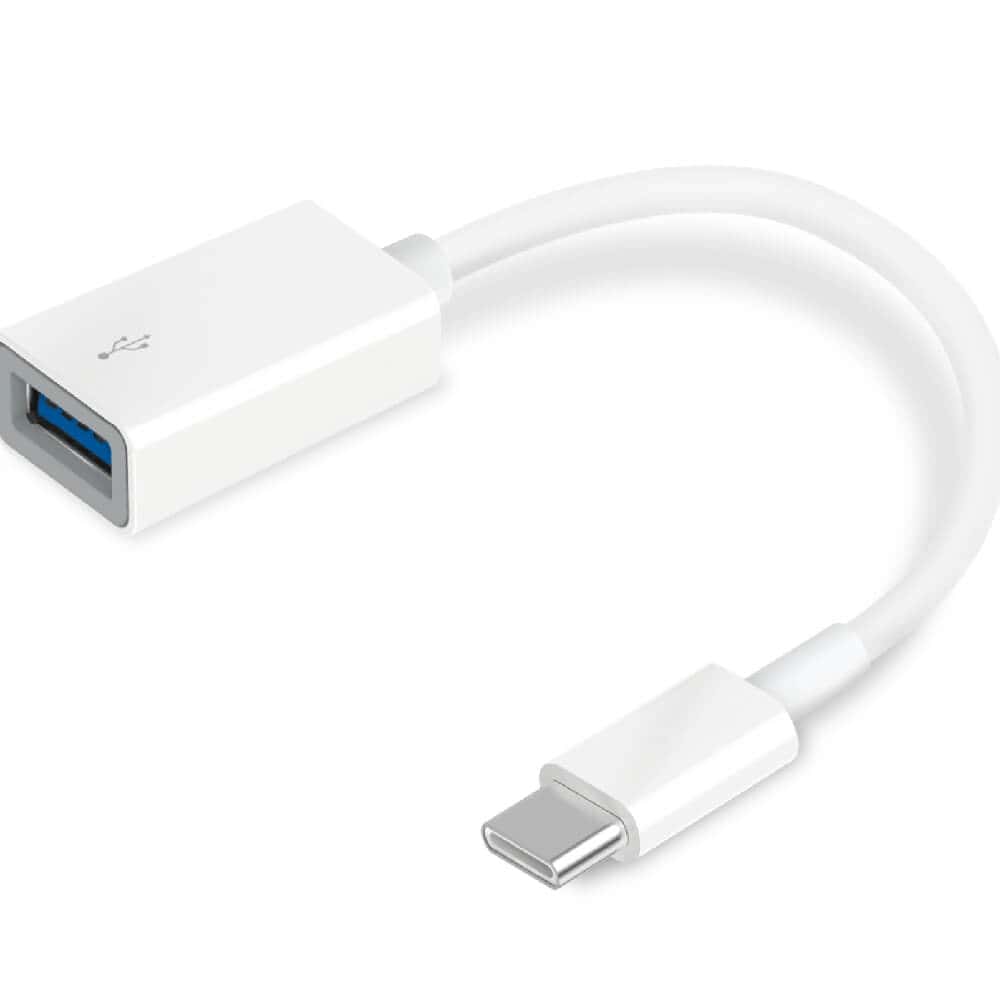
TP-Link UC400 SuperSpeed 3.0 USB-C to USB-A Adapter

R330.60

BB Store Credit Earn PreviewEarn approx. R3.31 BB Store Credit1% base. Added after successful checkout and available for your next order.
Payflex Peach PAYMENTS Yoco
Brits Brothers Support

Need help with this part?

Fitment, stock, courier and returns help.
Click any service to learn more.
Repair package

Complete Repair Package

Open the package builder to choose your vehicle and repair area. It only loads after click.

TP-Link UC400 SuperSpeed 3.0 USB-C to USB-A Adapter enables connection of USB-C devices to USB-A ports with SuperSpeed 3.0 data transfer

TP-Link UC400 SuperSpeed 3.0 USB-C to USB-A Adapter is a versatile accessory designed to bridge USB Type-C devices with older USB Type-A peripherals. This adapter allows you to connect devices like USB flash drives, keyboards, mice, and other USB-A compatible accessories to modern USB-C ports found on laptops, tablets, and smartphones.

The component supports SuperSpeed USB 3.0, enabling faster data transfer rates compared to previous USB standards when used with compatible devices. It is a compact and portable solution, making it easy to carry and use on the go. When replacing or upgrading your connection options, compare the adapter’s USB interface types on your existing devices to ensure compatibility.

This listing is categorized under USB and Battery Chargers and is identified by SKU BB-395014. It suits anyone needing a reliable connection between USB-C hosts and USB-A devices without involving complicated setups. Buyers should verify the adapter matches the intended devices’ ports and that the devices support USB 3.0 to achieve optimal performance.

  • Converts USB-C port to USB-A interface
  • Supports USB 3.0 SuperSpeed data transfer
  • Compact and easy to use with multiple devices

Not sure the code, size or specification matches? Use Ingco 20V Battery Charger Dual Fast 4A (P20S) or Request a Part with a clear photo of the old part before checkout.

Frequently Asked Questions

Confirm fitment before ordering
Quick answers before you order. If anything is unclear, confirm fitment first using your VIN or part number and avoid mistakes.
Helpful product answers
What devices are compatible with the TP-Link UC400 SuperSpeed 3.0 USB-C to USB-A Adapter?
The TP-Link UC400 adapter is designed to connect USB-C devices to USB-A ports, making it ideal for laptops, tablets, and smartphones with USB-C connectors. It supports SuperSpeed USB 3.0, ensuring fast data transfer when connected to compatible USB-A ports. For best performance, check your device’s USB specifications.
Can this adapter support fast charging for my USB-C devices?
This adapter primarily facilitates data transfer between USB-C and USB-A ports and supports USB 3.0 speeds. While it can handle standard charging, it may not support the higher power delivery required for fast charging newer USB-C devices. For optimal charging, use a dedicated USB-C charger or cable designed for fast charging.
Is the TP-Link UC400 adapter suitable for use with Trade Partners and professional setups?
Yes, the TP-Link UC400 adapter is a reliable accessory for Trade Partners needing to connect USB-C devices to older USB-A ports. Its SuperSpeed 3.0 capability ensures efficient data transfer, making it suitable for professional environments where compatibility and speed are essential. For bulk orders or trade inquiries, visit our Trade Partners page.
How durable is the TP-Link UC400 USB-C to USB-A adapter?
While specific durability specs are not provided, TP-Link products are generally known for quality construction and reliable performance. The compact design of the UC400 makes it easy to carry and use regularly without damage. For long-term use, handle the adapter carefully to avoid wear on the connectors.
Can I use this adapter to connect USB-A peripherals to a USB-C only device?
Yes, this adapter allows you to connect USB-A peripherals like flash drives, keyboards, or mice to devices with USB-C ports. It acts as a bridge between the two connector types, enabling compatibility without needing new peripherals. Ensure your device supports USB OTG (On-The-Go) if you plan to use external storage or input devices.