
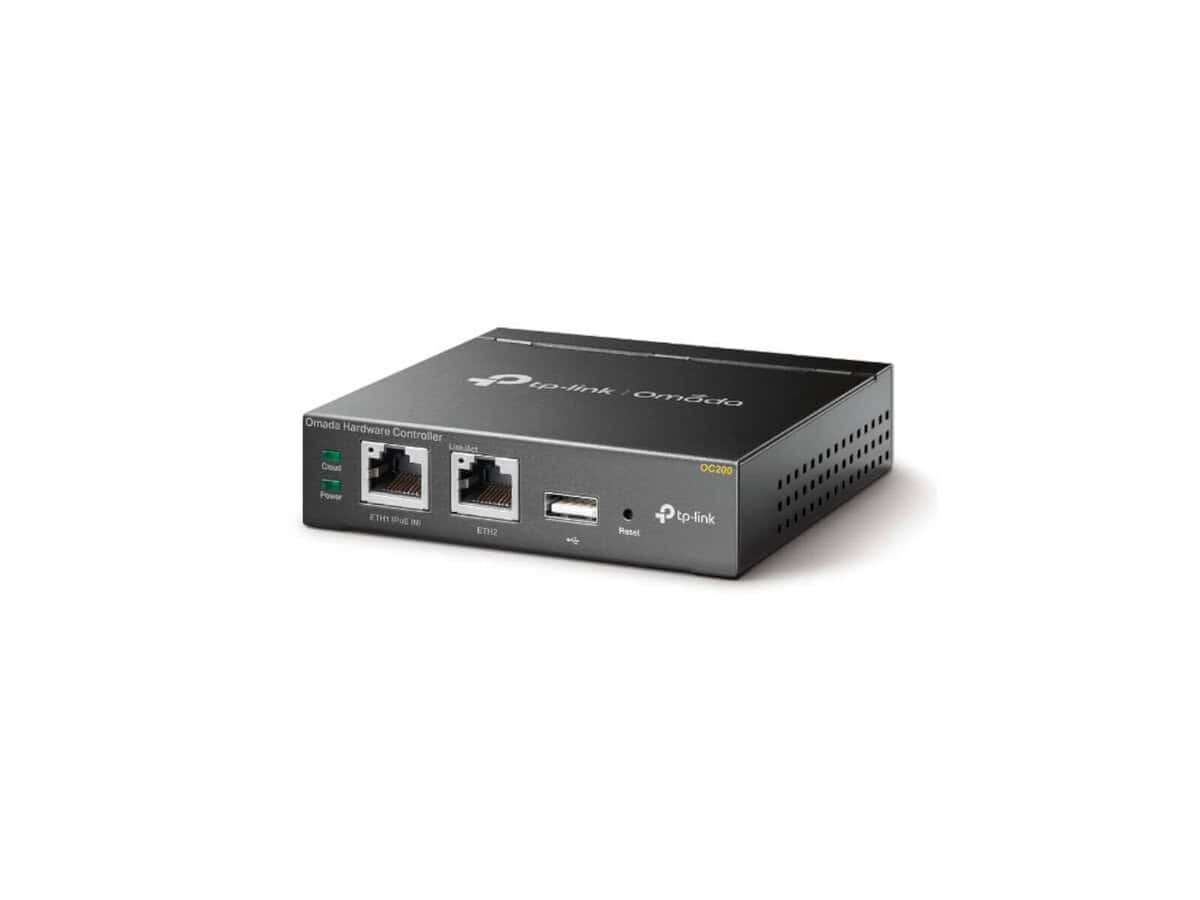
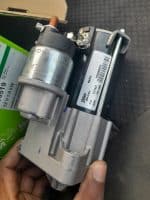
TP-LINK OC200 Omada Cloud Controller

R2010.60

BB Store Credit Earn PreviewEarn approx. R30.16 BB Store Credit1% base • +0.5% weekend. Added after successful checkout and available for your next order.
Payflex Peach PAYMENTS Yoco
Brits Brothers SupportNeed help with this part?Fitment, stock, courier and returns help.
WhatsApp
Use Sales Desk, or choose a rotating WhatsApp support line.
Premium System

Complete Repair Package

Open the package builder to choose your vehicle and repair area. It only loads after click.

TP-LINK OC200 Omada Cloud Controller is an ABS Controller device designed for network management and cloud control

Fitment Check
RepairMatch™ Fitment
Confirm this part against your vehicle before you order.
Check Fitment
Opens fitment page
Store Credit Deal
ThunderDeal™ Negotiator
Make a serious online offer and turn the approved value into BB Store Credit.
Open Negotiator
Shortcode page
Repair Package
Complete Repair Bundle
Build a matching repair package using this part as the starting point.
Build Bundle
Opens bundle page
Vehicle Search
Vehicle Parts Finder
Search by vehicle and find related parts faster.
Find Vehicle Parts
Opens finder page

TP-LINK OC200 Omada Cloud Controller serves as a centralized management unit designed for network environments that require coordinated control of multiple devices. As an ABS Controller category product, this unit plays a technical role beyond automotive parts, focusing on digital network control and cloud-based management.

This controller allows users to manage their network devices from a single cloud platform, facilitating streamlined monitoring and configuration. Ideal for businesses or installations utilizing TP-LINK Omada systems, it helps optimize network performance and connectivity through centralized administration. When selecting this unit, verify it matches the TP-LINK OC200 model to ensure compatibility with your existing Omada setup.

Fitting this controller involves integrating it into your network infrastructure where it can communicate with Omada access points and other managed devices. Buyers should compare their current controller model against TP-LINK OC200 to ensure correct feature set and system compatibility. This part is distinctly identified by SKU BB-395005 and is part of the ABS Controller category, emphasizing its specialized application in system control rather than traditional automotive ABS function.

  • Cloud-based network controller for TP-LINK Omada systems
  • Centralized device management and monitoring
  • SKU BB-395005 identifies this specific model

Need help matching this item to your vehicle? Use BMW E36 ABS Controller 34521164094, Vehicle Parts Finder or Request a Part with your VIN, engine number, part number or clear photos.

Frequently Asked Questions

Confirm fitment before ordering
Quick answers before you order. If anything is unclear, confirm fitment first using your VIN or part number and avoid mistakes.
Helpful product answers
What is the primary function of the TP-LINK OC200 Omada Cloud Controller?
The TP-LINK OC200 Omada Cloud Controller is designed to centrally manage and control multiple Omada access points and switches. It simplifies network management by providing a unified platform for configuration, monitoring, and maintenance, ideal for businesses requiring scalable Wi-Fi solutions.
Can the TP-LINK OC200 be accessed remotely for network management?
Yes, the OC200 supports remote cloud access, allowing administrators to manage the network from anywhere via the Omada Cloud platform. This feature enables real-time monitoring and configuration without needing to be physically on-site, enhancing convenience and response times.
Is the TP-LINK OC200 compatible with all Omada devices?
The OC200 is compatible with most Omada series access points and switches, ensuring seamless integration within the Omada ecosystem. However, it’s important to verify device compatibility before purchase to avoid connectivity issues, as some older models may not be supported.
What common mistake should I avoid when setting up the TP-LINK OC200?
A frequent error is neglecting to update the OC200’s firmware before deployment. Running outdated firmware can cause stability and security issues. Always check for and install the latest firmware updates via the Omada Controller interface to ensure optimal performance and security.
How do I get support or request parts for the TP-LINK OC200?
For support or to request replacement parts, you can contact Brits Brothers™ Trade Partners directly. They provide dedicated assistance and can be reached through the Request a Part page or via WhatsApp at +27 73 592 5563 for quick responses.