
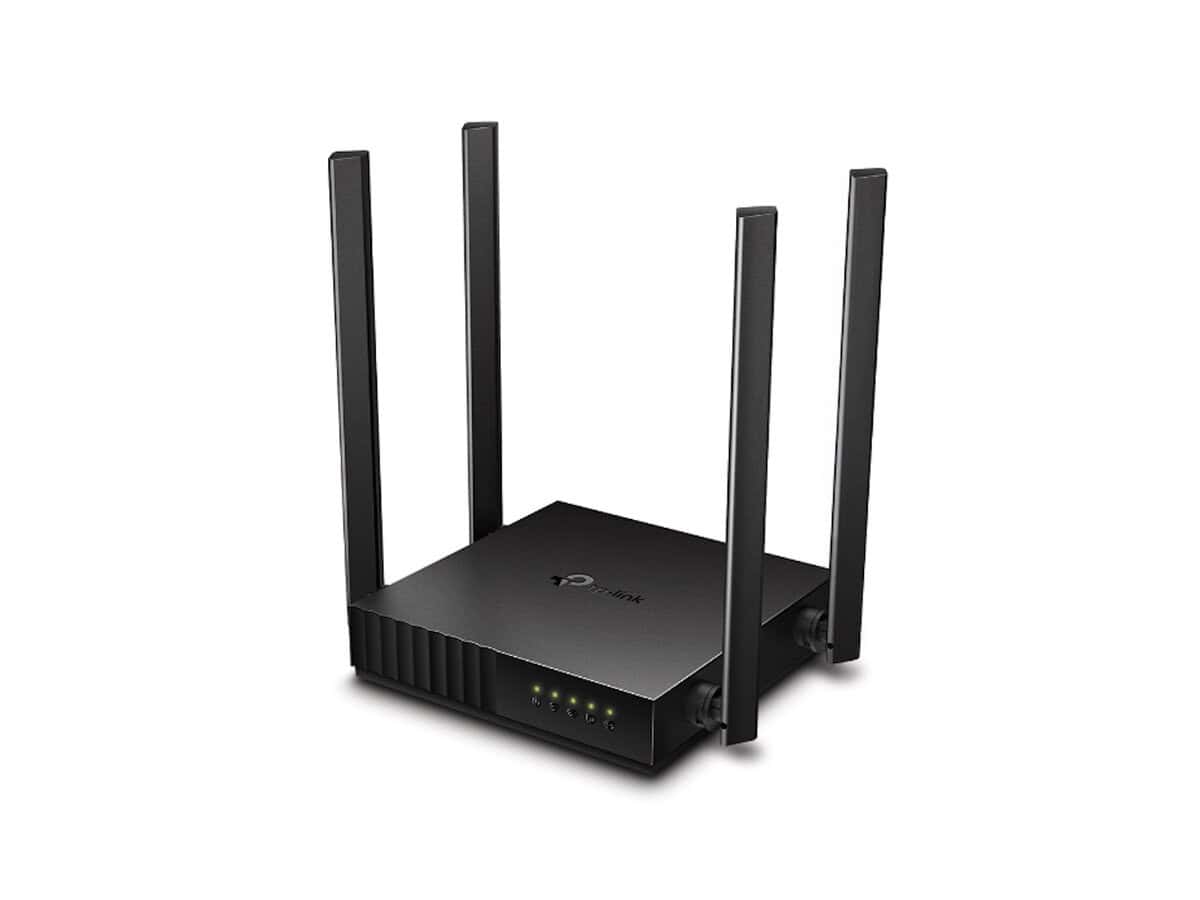
TP-Link Archer C54 Dual Band Wi-Fi Router

R918.60

BB Store Credit Earn PreviewEarn approx. R18.37 BB Store Credit1% base • +1% payday. Added after successful checkout and available for your next order.
Payflex Peach PAYMENTS Yoco
Brits Brothers SupportNeed help with this part?Fitment, stock, courier and returns help.
WhatsApp
Use Sales Desk, or choose a rotating WhatsApp support line.
Premium System

Complete Repair Package

Open the package builder to choose your vehicle and repair area. It only loads after click.

TP-Link Archer C54 Dual Band Wi-Fi Router provides dual-band wireless networking capabilities for improved internet coverage and speed. Suitable for various router accessory setups

Fitment Check
RepairMatch™ Fitment
Confirm this part against your vehicle before you order.
Check Fitment
Opens fitment page
Store Credit Deal
ThunderDeal™ Negotiator
Make a serious online offer and turn the approved value into BB Store Credit.
Open Negotiator
Shortcode page
Repair Package
Complete Repair Bundle
Build a matching repair package using this part as the starting point.
Build Bundle
Opens bundle page
Vehicle Search
Vehicle Parts Finder
Search by vehicle and find related parts faster.
Find Vehicle Parts
Opens finder page

TP-Link Archer C54 Dual Band Wi-Fi Router is a networking device designed to provide stable dual-band Wi-Fi connectivity. This router supports simultaneous operation on two frequency bands, which can help reduce interference and improve wireless performance across compatible devices.

The unit belongs to the category of Router Bits & Accessories and carries the SKU BB-395054. It is identified under the TP-Link Archer C54 model line, known for delivering reliable internet access for home or office environments. When considering this router, compare the model number and wireless specifications with your current device to ensure compatibility with your existing network infrastructure and device needs.

This router is primarily used to manage and distribute internet signals wirelessly to various devices, affecting network coverage and connection stability. If replacing or upgrading, verify that your setup requires a dual-band router like the Archer C54 to benefit from its frequency management features.

  • Check your current router’s model and frequency support before purchase.
  • Ensure your devices can connect with 2.4GHz and 5GHz bands.
  • Consider network size and device density to decide if dual-band is suitable.

Need help matching this item to your vehicle? Use ROUTER Bit PANEL MOLD ROUND & OGEE 1″x1 2″x1 2″ ™, Vehicle Parts Finder or Request a Part with your VIN, engine number, part number or clear photos.

Frequently Asked Questions

Confirm fitment before ordering
Quick answers before you order. If anything is unclear, confirm fitment first using your VIN or part number and avoid mistakes.
Helpful product answers
What are the main features of the TP-Link Archer C54 Dual Band Wi-Fi Router?
The TP-Link Archer C54 offers dual-band Wi-Fi, providing both 2.4 GHz and 5 GHz frequencies for better performance and reduced interference. It supports multiple devices simultaneously, making it suitable for home or small office use. The router is designed to deliver stable and fast wireless connections, enhancing your internet experience.
How do I set up the TP-Link Archer C54 router for the first time?
To set up the Archer C54, connect it to your modem using an Ethernet cable and power it on. Access the router’s web interface by entering its default IP address in a browser, then follow the setup wizard to configure your Wi-Fi name and password. Avoid skipping firmware updates during setup, as outdated firmware can cause connectivity issues.
Can the TP-Link Archer C54 router handle multiple devices without slowing down?
Yes, the Archer C54 is designed to manage multiple devices efficiently by using dual-band technology. The 5 GHz band is ideal for high-bandwidth activities like streaming and gaming, while the 2.4 GHz band supports devices that require longer range. This separation helps maintain stable speeds even when several devices are connected.
Is the TP-Link Archer C54 compatible with South African ISPs?
The Archer C54 supports standard broadband connections and should be compatible with most South African ISPs. However, specific settings like PPPoE or static IP may need to be configured according to your ISP’s requirements. If you encounter issues, contacting your Trade Partner or checking the router’s manual can help resolve compatibility questions.
What is a common mistake to avoid when installing the TP-Link Archer C54 router?
A frequent error is placing the router in a location with physical obstructions or interference from other electronic devices. This can significantly reduce Wi-Fi range and speed. To correct this, position the router in a central, elevated spot away from thick walls and appliances like microwaves or cordless phones for optimal coverage.