
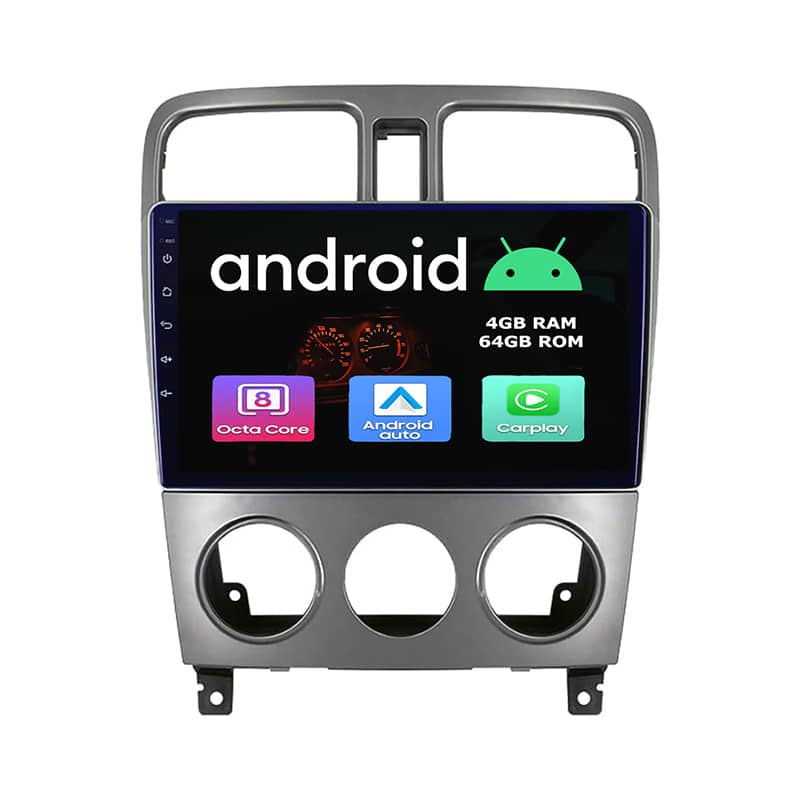
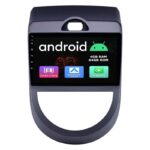
Subaru Forester 2004–2008 Android Navigation Radio – Quick Fit & Verification Guide

R7753.83

BB Store Credit Earn PreviewEarn approx. R350.00 BB Store Credit1% base • +4% order tier. Added after successful checkout and available for your next order.
Payflex Peach PAYMENTS Yoco
Brits Brothers SupportNeed help with this part?Fitment, stock, courier, returns, supplier price or order help.
WhatsApp
Use Live Concierge, or choose a rotating WhatsApp support line.
Premium System

Complete Repair Package

Open the package builder to choose your vehicle and repair area. It only loads after click.

Subaru Forester 2004–2008 Android Navigation Radio – Quick Fit & Verification Guide supplied by Brits Brothers™ with clear product details and careful order support. Condition: new_part. Category: Radio. SKU: BB-221958. Please confirm the product photos, listed details, compatibility, and quantity before checkout. Need help before ordering? Contact Brits Brothers™ and we will assist with the available product information.

Fitment Check
RepairMatch™ Fitment
Confirm this part against your vehicle before you order.
Check Fitment
Opens fitment page
Store Credit Deal
ThunderDeal™ Negotiator
Make a serious online offer and turn the approved value into BB Store Credit.
Open Negotiator
Shortcode page
Repair Package
Complete Repair Bundle
Build a matching repair package using this part as the starting point.
Build Bundle
Opens bundle page
Vehicle Search
Vehicle Parts Finder
Search by vehicle and find related parts faster.
Find Vehicle Parts
Opens finder page

This Android GPS Navigation Bluetooth Radio Unit is engineered for Subaru Forester models from 2004 to 2008. Designed for straightforward installation and rapid verification, this 9-inch touchscreen unit features Android 12, 4GB RAM, 64GB storage, and built-in wireless/wired Apple CarPlay and Android Auto. Key identifiers include the octa-core processor, 4G SIM slot, and a bundled reverse camera. Technicians should confirm the correct fit by matching dashboard dimensions and connector types before installation. Compatibility: always verify with VIN or part number if uncertain. Nationwide delivery is available, and standard return options apply. Key features are summarized below for quick reference.

Frequently Asked Questions

Confirm fitment before ordering
Quick answers before you order. If anything is unclear, confirm fitment first using your VIN or part number and avoid mistakes.
Helpful product answers
Is the Subaru Forester 2004–2008 Android Navigation Radio compatible with all Forester models from those years?
This Android Navigation Radio is designed specifically for Subaru Forester models from 2004 to 2008. However, compatibility can vary depending on the trim and factory-installed options. It's important to verify your vehicle's specifications before purchase to ensure a proper fit and function.
What features does the Android Navigation Radio offer for the Subaru Forester 2004–2008?
The unit provides modern Android-based navigation capabilities, touchscreen controls, and multimedia playback. It supports GPS navigation, Bluetooth connectivity, and likely includes USB and auxiliary inputs for versatile media options. This upgrade enhances your driving experience with up-to-date technology tailored for your Forester.
How difficult is the installation process for this Android Navigation Radio?
The product comes with a Quick Fit & Verification Guide to simplify installation. While it is designed for straightforward fitting, some users may find wiring and integration with existing vehicle systems challenging. Avoid rushing the process; carefully follow the guide and consider professional installation if unsure to prevent damage or improper setup.
Can I retain my vehicle’s original features like steering wheel controls after installing this radio?
Retention of original features such as steering wheel controls depends on your vehicle's wiring and the radio's compatibility. Some adapters or additional modules may be required to maintain these functions. Check with your Trade Partner or consult the installation guide to confirm what accessories you might need for full feature integration.
What should I do if the radio does not power on or function correctly after installation?
If the radio fails to power on or operate properly, first double-check all wiring connections against the Quick Fit & Verification Guide. A common mistake is loose or incorrect wiring, which can be corrected by carefully re-securing connections. If problems persist, contact your Trade Partner or request support through the official channels for troubleshooting assistance.