
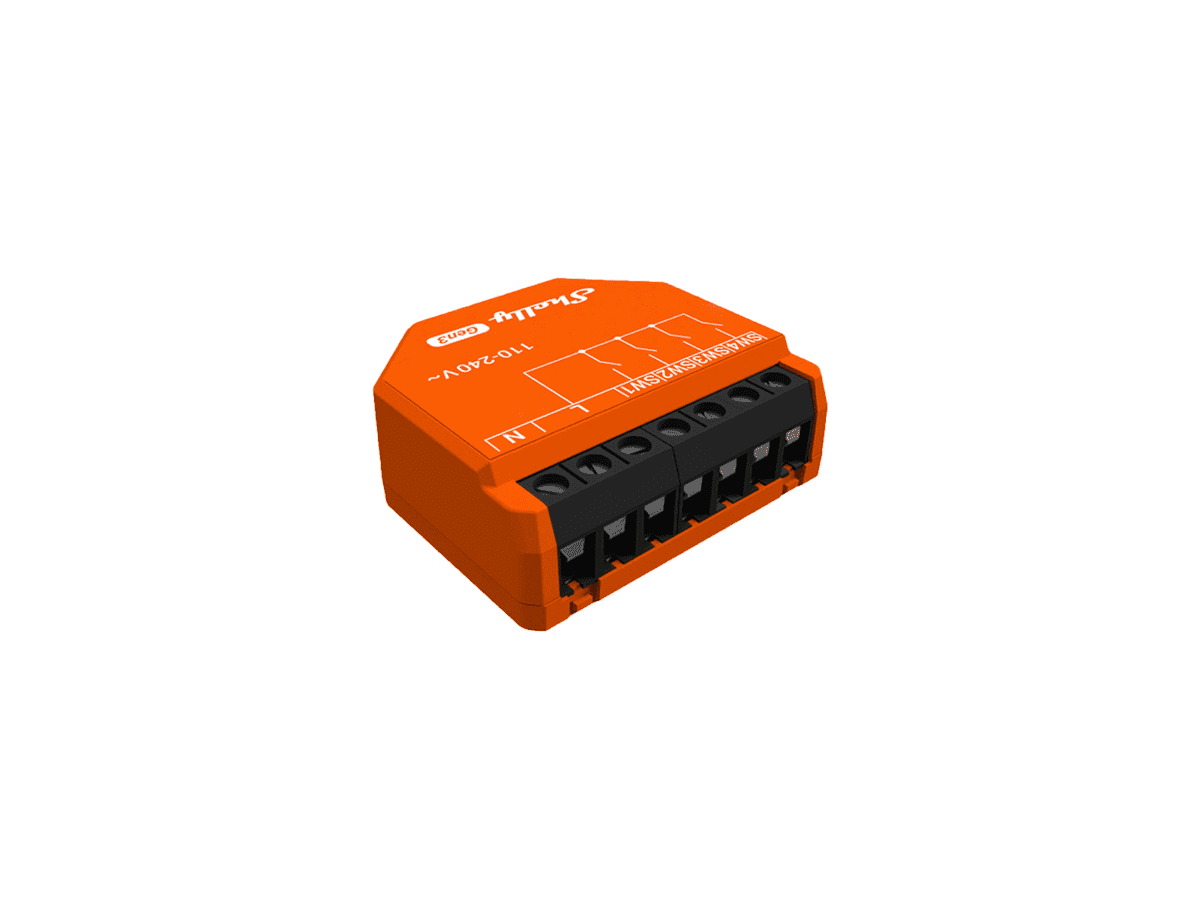




Shelly i4 Gen3 Smart Four-Channel Inputs Controller

R624.60

BB Store Credit Earn PreviewEarn approx. R6.25 BB Store Credit1% base. Added after successful checkout and available for your next order.
Payflex Peach PAYMENTS Yoco
Brits Brothers Support

Need help with this part?

Fitment, stock, courier and returns help.
Click any service to learn more.
Repair package

Complete Repair Package

Open the package builder to choose your vehicle and repair area. It only loads after click.

Shelly i4 Gen3 Smart Four-Channel Inputs Controller allows control via four input channels, designed for smart docking solutions

Shelly i4 Gen3 Smart Four-Channel Inputs Controller is a specialized device designed to provide smart control over four separate input channels. This controller is part of the Shelly i4 Gen3 series, focusing on integrating multiple input sources into a unified smart system. It functions as an interface allowing various input signals to be monitored and managed effectively.

This unit is generally used in smart dock and docking station setups, facilitating seamless input control and enhancing automation capabilities. Buyers should ensure compatibility by matching the Shelly i4 Gen3 series designation and verifying the controller’s role within their existing configurations. The component’s four-channel input setup makes it ideal for applications where multiple independent inputs require coordinated processing.

When considering this controller, compare it with your current input handling device in terms of channel capacity and input type compatibility. If the existing equipment lacks smart input management or has fewer input channels, this controller may offer the additional functionality needed. For specialized use or questions about integration with your system, contacting the sales desk or submitting a request for parts might be necessary to confirm fitment or specific technical details.

  • Designed for the Shelly i4 Gen3 series smart input control
  • Supports four independent input channels
  • Used in smart docks and docking stations

Need help matching this item to your vehicle? Use Dell Pro SD25 Smart Dock, Vehicle Parts Finder or Request a Part with your VIN, engine number, part number or clear photos.

Frequently Asked Questions

Confirm fitment before ordering
Quick answers before you order. If anything is unclear, confirm fitment first using your VIN or part number and avoid mistakes.
Helpful product answers
What is the primary function of the Shelly i4 Gen3 Smart Four-Channel Inputs Controller?
The Shelly i4 Gen3 is designed to monitor and control up to four separate inputs, making it ideal for smart home automation setups. It allows integration of traditional switches and sensors into your smart system, enabling remote control and status monitoring via compatible apps or platforms.
Is the Shelly i4 Gen3 compatible with existing smart home systems?
Yes, the Shelly i4 Gen3 supports integration with popular smart home ecosystems, allowing seamless control alongside other devices. It works well with platforms that support MQTT or REST API, providing flexibility for advanced automation scenarios.
How do I verify if the Shelly i4 Gen3 fits my current electrical installation?
Check that your existing switches or sensors are compatible with dry contact inputs, as the Shelly i4 Gen3 requires this for proper operation. Additionally, ensure your electrical wiring can accommodate the device’s power requirements and that there is Wi-Fi coverage in the installation area for reliable connectivity.
Can the Shelly i4 Gen3 be installed outdoors or in damp environments?
The product specifications do not explicitly state suitability for outdoor or damp locations. It is recommended to install the Shelly i4 Gen3 in dry, indoor environments to avoid potential damage and ensure optimal performance.
Where can Trade Partners find more technical support or request parts for the Shelly i4 Gen3?
Trade Partners can access dedicated support and request specific parts through the Brits Brothers platform. For part requests, visit Request a Part, and for partnership details, see Trade Partners.
What practical checks should I perform before installing the Shelly i4 Gen3?
Before installation, verify that your Wi-Fi network is stable and accessible at the installation site to ensure uninterrupted device communication. Also, confirm that the input devices connected are compatible and that the power supply matches the device’s requirements to prevent malfunctions.