
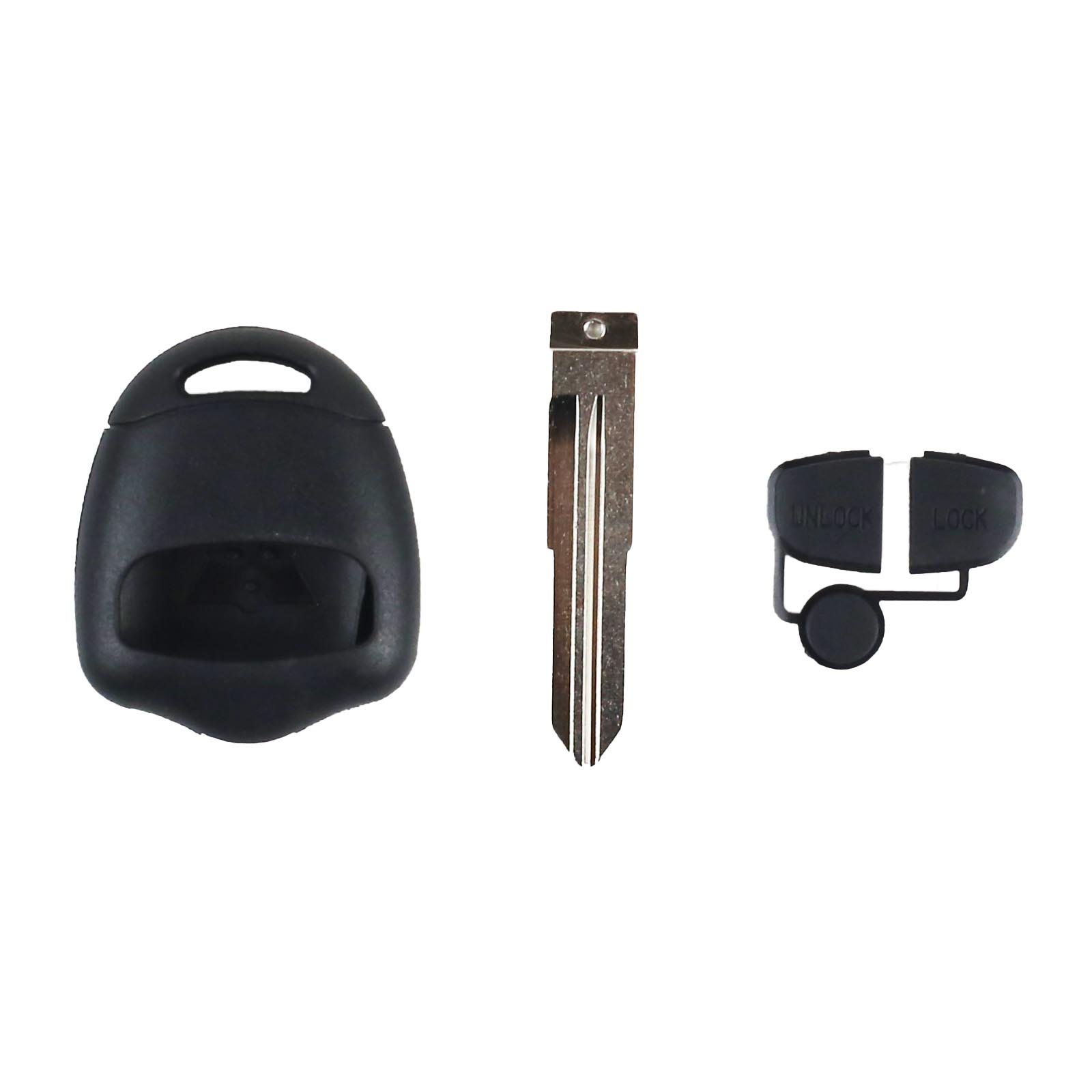
Mitsubishi – Lancer, Grandis, Outlander | Remote Key Case & Blade (2 Button, MIT11 Blade)

R265.70

BB Store Credit Earn PreviewEarn approx. R3.99 BB Store Credit1% base • +0.5% weekend. Added after successful checkout and available for your next order.
Payflex Peach PAYMENTS Yoco
Brits Brothers SupportNeed help with this part?Fitment, stock, courier, returns, supplier price or order help.
WhatsApp
Use Live Concierge, or choose a rotating WhatsApp support line.
Premium System

Complete Repair Package

Open the package builder to choose your vehicle and repair area. It only loads after click.

Mitsubishi – Lancer Grandis Outlander remote key case blade 2 button MIT11 blade. Use this product for aftermarket key replacements and repairs compatible with Mitsubishi Lancer vehicles

Fitment Check
RepairMatch™ Fitment
Confirm this part against your vehicle before you order.
Check Fitment
Opens fitment page
Store Credit Deal
ThunderDeal™ Negotiator
Make a serious online offer and turn the approved value into BB Store Credit.
Open Negotiator
Shortcode page
Repair Package
Complete Repair Bundle
Build a matching repair package using this part as the starting point.
Build Bundle
Opens bundle page
Vehicle Search
Vehicle Parts Finder
Search by vehicle and find related parts faster.
Find Vehicle Parts
Opens finder page

Mitsubishi – Lancer Grandis Outlander is listed as an auto-part option. Confirm fitment, part number and compatibility before purchase, especially where vehicle-specific matching is required.

Mitsubishi – Lancer, Grandis, Outlander | Remote Key Case & Blade (2 Button, MIT11 Blade) is a replacement key housing designed specifically for Mitsubishi vehicles including Lancer, Grandis, and Outlander models. This part is crafted to accommodate two buttons and features an MIT11 blade type, which is essential for matching the mechanical function of your original key blade.

The remote key case protects and houses the internal electronics and battery of your remote key fob, ensuring the signals for locking and unlocking your vehicle are properly transmitted. Over time, original key cases can wear out, crack, or break, making replacement necessary to maintain key functionality and convenience.

When selecting this key case and blade, verify the blade type on your existing key to confirm compatibility—this unit uses the MIT11 blade profile. It is also important to confirm that your key operates with two buttons, as this case is designed for that configuration. Replacing the key case and blade does not include internal electronics or key programming.

  • Replacement key case for Mitsubishi Lancer, Grandis, and Outlander
  • Designed for 2-button remote key models
  • Includes MIT11 style blade matching specific Mitsubishi keys

If unsure about compatibility, it is advisable to compare your old key’s blade and button layout or consult the sales desk for assistance. This product is ideal for restoring your vehicle key’s housing and blade where damage or wear has compromised the original.

Need help matching this item to your vehicle? Use more KEYS, Vehicle Parts Finder or Request a Part with your VIN, engine number, part number or clear photos.

Frequently Asked Questions

Confirm fitment before ordering
Quick answers before you order. If anything is unclear, confirm fitment first using your VIN or part number and avoid mistakes.
Helpful product answers
Is this remote key case compatible with all Mitsubishi Lancer, Grandis, and Outlander models?
This remote key case is designed specifically for Mitsubishi Lancer, Grandis, and Outlander models that use the MIT11 blade and have a 2-button remote. However, compatibility may vary depending on the year and specific trim of your vehicle. It's best to verify your existing key blade type before purchasing to ensure a perfect fit.
Can I reuse the electronics from my original remote key with this replacement case?
Yes, you can transfer the internal electronics and remote circuit board from your original key into this replacement case. This allows you to keep your existing remote functions without needing to reprogram the key. Just be careful when opening the original key to avoid damaging the circuit board.
What is the correct way to replace the key blade in this remote key case?
To replace the key blade, first remove the old blade by unscrewing or unclipping it from the case, depending on your model. Insert the MIT11 blade into the new case and secure it firmly. Avoid forcing the blade in as this can damage the case or blade; if it doesn’t fit smoothly, double-check the blade type and orientation.
Are the buttons on this remote key case durable and responsive?
The 2-button remote key case is made with durable materials designed to withstand daily use. The buttons are responsive and provide tactile feedback to ensure reliable operation. However, avoid excessive force or exposure to moisture to prolong the lifespan of the buttons.
Can Trade Partners order this remote key case in bulk or request custom branding?
Trade Partners interested in bulk orders or custom branding options should contact Brits Brothers™ directly through the Trade Partner portal. They provide tailored support and pricing for business clients. Visit Trade Partners for more information and to get in touch.