
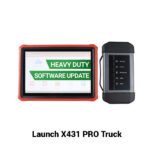
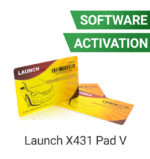
Launch X431 PRO Truck / Heavy Duty Software Update

R11720.00

BB Store Credit Earn PreviewEarn approx. R350.00 BB Store Credit1% base • +4% order tier. Added after successful checkout and available for your next order.
Payflex Peach PAYMENTS Yoco
Brits Brothers Support

Need help with this part?

Fitment, stock, courier and returns help.
Click any service to learn more.
Repair package

Complete Repair Package

Open the package builder to choose your vehicle and repair area. It only loads after click.

Launch X431 PRO Truck / Heavy Duty Software Update provides software enhancements for the Launch X431 PRO heavy duty truck diagnostic tool. Check compatibility before updating

Launch X431 PRO Truck / Heavy Duty Software Update is designed specifically for the Launch X431 PRO diagnostic device used in truck and heavy-duty vehicle applications. This software update ensures your diagnostic tool stays current with the latest vehicle protocols and system capabilities needed for accurate troubleshooting and maintenance.

This update applies directly to the software package of the X431 PRO platform, primarily focusing on trucks and heavy-duty vehicles. It enhances the device’s ability to communicate with diverse electronic control units (ECUs) and supports expanded diagnostic functions essential for professional use on commercial vehicles.

When considering this software update, verify compatibility with your existing unit and check if your diagnostic device is running an older software version that requires the latest features or fixes. Keeping the software updated helps maintain the device’s efficiency and ensures it covers newly released vehicle models and systems.

Use this software update to:

  • Extend coverage for truck and heavy-duty vehicle diagnostics
  • Improve communication between the device and vehicle electronic systems
  • Access updated troubleshooting protocols and system codes

Comparing your current software version with the update details is advisable before purchase. For further advice on device compatibility or to request a specific part, contacting the sales desk or submitting a request through the dedicated channels is recommended.

Need help matching this item to your vehicle? Use more PDF Editing Software, Vehicle Parts Finder or Request a Part with your VIN, engine number, part number or clear photos.

Frequently Asked Questions

Confirm fitment before ordering
Quick answers before you order. If anything is unclear, confirm fitment first using your VIN or part number and avoid mistakes.
Helpful product answers
What is the purpose of the Launch X431 PRO Truck / Heavy Duty Software Update?
The software update enhances the diagnostic capabilities of the Launch X431 PRO tool specifically for trucks and heavy-duty vehicles. It ensures compatibility with the latest vehicle models and improves the accuracy of fault detection and system analysis. Regular updates help maintain optimal performance of the diagnostic tool.
How do I install the Launch X431 PRO Truck / Heavy Duty Software Update?
Installation typically involves downloading the update via the Launch X431 PRO device’s internet connection or through a connected PC. Detailed instructions are provided with the update package or on the official Launch platform. Ensure your device is fully charged or connected to power during the update to prevent interruptions.
Is this software update compatible with all Launch X431 PRO models?
Compatibility depends on the specific model and firmware version of your Launch X431 PRO device. This update is designed for the truck and heavy-duty vehicle diagnostic modules. For precise compatibility details, consult the product documentation or contact Brits Brothers™ Trade Partners for assistance.
Can I purchase this software update if I am not a Trade Partner?
Access to certain software updates may be restricted to registered Trade Partners to ensure proper support and licensing compliance. If you are not a Trade Partner, you can inquire about eligibility or alternative options by contacting Brits Brothers™ directly via WhatsApp at WhatsApp.
What should I do if the software update fails or causes issues?
If you encounter problems during or after the update, first verify your internet connection and device power status. Restart the device and attempt the update again. For persistent issues, reach out to Brits Brothers™ support or request assistance through their parts request service at Request a Part.
Does this update include new diagnostic functions for specific truck brands?
Not specified. Software updates for the Launch X431 PRO Truck / Heavy Duty tool generally aim to expand vehicle coverage and add new diagnostic functions, but exact details about brand-specific enhancements are not provided. For detailed feature lists, consult the official update release notes or contact Brits Brothers™ Trade Partners.