
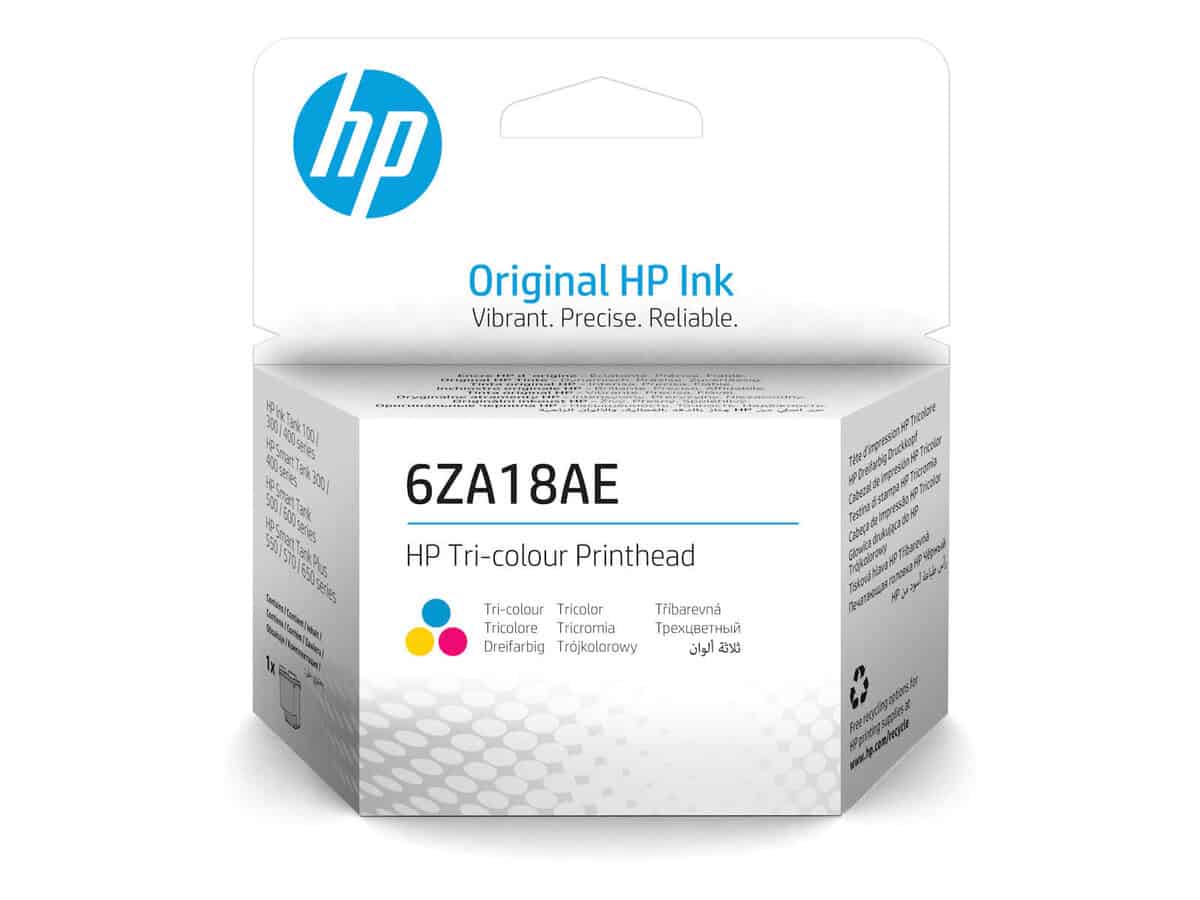
HP Tri-Color Printhead

R652.60

BB Store Credit Earn PreviewEarn approx. R13.05 BB Store Credit1% base • +1% payday. Added after successful checkout and available for your next order.
Payflex Peach PAYMENTS Yoco
Brits Brothers Support

Need help with this part?

Fitment, stock, courier and returns help.
Click any service to learn more.
Repair package

Complete Repair Package

Open the package builder to choose your vehicle and repair area. It only loads after click.

HP Tri-Color Printhead offers a component suitable for sanding tri velcro applications. Verify compatibility before purchase

HP Tri-Color Printhead is a critical component for your HP printing device, responsible for delivering precise color output by controlling the flow of ink during printing. This printhead supports tri-color ink application, enabling the creation of a wide spectrum of colors on various print media.

The printhead’s role involves transferring cyan, magenta, and yellow inks accurately onto the paper, ensuring the correct blend for vivid and detailed images or text. If your current printhead shows signs of clogging, color streaking, or inconsistent output, replacing it with this unit may restore your device’s printing quality.

This product is listed under the Sanding Tri Velcro category with SKU BB-394452. When selecting a replacement, compare this printhead’s specifications and compatibility with your original part to ensure it matches your HP printing system’s requirements. Proper identification of the printhead model is essential to achieve the desired print results and avoid operational issues.

  • Supports tri-color ink printing
  • Vital for accurate color reproduction
  • Check compatibility with your HP printer model

For additional assistance on fitment or sourcing parts compatible with your device, consider contacting the sales desk or submitting a request through the parts finder services.

Need help matching this item to your vehicle? Use SANDING Tri VELCRO 60 GRIT 5 PIECES, Vehicle Parts Finder or Request a Part with your VIN, engine number, part number or clear photos.

Frequently Asked Questions

Confirm fitment before ordering
Quick answers before you order. If anything is unclear, confirm fitment first using your VIN or part number and avoid mistakes.
Helpful product answers
What is the HP Tri-Color Printhead used for?
The HP Tri-Color Printhead is designed to deliver high-quality color printing by accurately applying cyan, magenta, and yellow inks. It is essential for maintaining vibrant and precise color output in compatible HP printers. Proper installation ensures consistent print performance and color fidelity.
How do I install the HP Tri-Color Printhead correctly?
To install the HP Tri-Color Printhead, first power off your printer and open the cartridge access area. Remove the old printhead carefully and insert the new one until it clicks into place. Avoid touching the nozzles or electrical contacts to prevent damage. Power on the printer and run a printhead alignment to ensure optimal print quality.
Can I clean the HP Tri-Color Printhead if print quality declines?
Yes, cleaning the printhead can help restore print quality if colors appear faded or streaky. Use the printer’s built-in cleaning utility or gently wipe the nozzles with a lint-free cloth dampened with distilled water. Avoid harsh chemicals or excessive force, as these can damage the printhead permanently.
Is the HP Tri-Color Printhead compatible with all HP printers?
Not all HP printers use the same printhead model. Compatibility depends on your specific printer model, so check your printer’s manual or the product page for compatibility details. Using an incompatible printhead can cause printing errors or damage the printer.
What common mistake should I avoid when replacing the HP Tri-Color Printhead?
A frequent error is touching the printhead nozzles or electrical contacts during installation. This can cause clogs or electrical faults, leading to poor print quality or hardware failure. Always handle the printhead by its sides and follow the installation instructions carefully to avoid this issue.
Where can Trade Partners get more information or support for the HP Tri-Color Printhead?
Trade Partners can access detailed product information and support by visiting the Brits Brothers Trade Partner page. For specific part requests or technical assistance, contacting Brits Brothers directly via WhatsApp at WhatsApp is recommended for prompt service.