
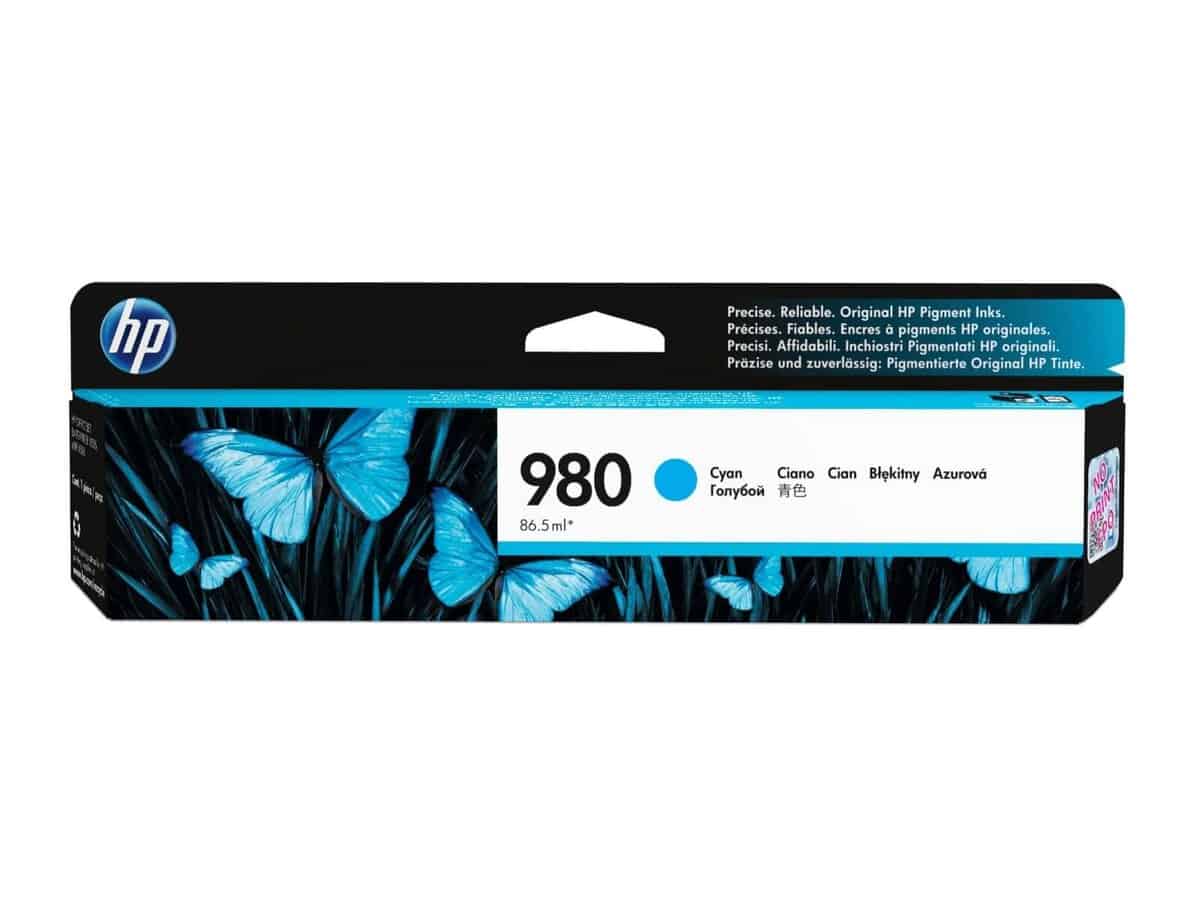
HP 980 Cyan OfficeJet Enterprise X555/X585 Ink Cartridge – D8J07A

R3942.60

BB Store Credit Earn PreviewEarn approx. R177.42 BB Store Credit1% base • +2% order tier • +1% payday • +0.5% weekend. Added after successful checkout and available for your next order.
Payflex Peach PAYMENTS Yoco
Brits Brothers SupportNeed help with this part?Fitment, stock, courier and returns help.
WhatsApp
Use Sales Desk, or choose a rotating WhatsApp support line.
Premium System

Complete Repair Package

Open the package builder to choose your vehicle and repair area. It only loads after click.

HP 980 Cyan OfficeJet Enterprise X555/X585 Ink Cartridge – D8J07A is designed for use in OfficeJet Enterprise X555 and X585 printers. It belongs to the Cartridge Flat Foot category and carries SKU BB-394501

Fitment Check
RepairMatch™ Fitment
Confirm this part against your vehicle before you order.
Check Fitment
Opens fitment page
Store Credit Deal
ThunderDeal™ Negotiator
Make a serious online offer and turn the approved value into BB Store Credit.
Open Negotiator
Shortcode page
Repair Package
Complete Repair Bundle
Build a matching repair package using this part as the starting point.
Build Bundle
Opens bundle page
Vehicle Search
Vehicle Parts Finder
Search by vehicle and find related parts faster.
Find Vehicle Parts
Opens finder page

HP 980 Cyan OfficeJet Enterprise X555/X585 Ink Cartridge – D8J07A is listed as an auto-part option. Confirm fitment, part number and compatibility before purchase, especially where vehicle-specific matching is required.

HP 980 Cyan OfficeJet Enterprise X555/X585 Ink Cartridge – D8J07A is designed specifically for use with HP OfficeJet Enterprise X555 and X585 printers. This cyan ink cartridge is a key consumable in the printing process, providing vibrant blue tones essential for producing accurate colour prints and professional-quality documents.

This cartridge fits directly into compatible HP OfficeJet Enterprise models and should be replaced when print quality diminishes or the cartridge is empty. When selecting this part, compare your old cartridge code with D8J07A to ensure compatibility. Using the correct cartridge is important to maintain the printer’s performance and print output integrity.

The cartridge is part of the Cartridge Flat Foot category, highlighting its typical form factor suitable for these specific printer models. Buyers interested in this unit should verify printer model compatibility and cartridge SKU BB-394501 before purchase. For users needing assistance or parts not listed, contacting the sales desk or submitting a request through the parts finder can provide further support.

Need help matching this item to your vehicle? Use Tolsen Hex Chisel | Flat | 30x410x35 mm, Vehicle Parts Finder or Request a Part with your VIN, engine number, part number or clear photos.

Frequently Asked Questions

Confirm fitment before ordering
Quick answers before you order. If anything is unclear, confirm fitment first using your VIN or part number and avoid mistakes.
Helpful product answers
Is the HP 980 Cyan Ink Cartridge compatible with both OfficeJet Enterprise X555 and X585 printers?
Yes, the HP 980 Cyan Ink Cartridge (D8J07A) is specifically designed for use with both the OfficeJet Enterprise X555 and X585 printer models. Using the correct cartridge ensures optimal print quality and prevents potential printer errors. Always verify your printer model before purchasing to avoid compatibility issues.
How should I store the HP 980 Cyan Ink Cartridge to maintain its quality?
To preserve the ink quality, store the cartridge in a cool, dry place away from direct sunlight and extreme temperatures. Avoid removing the cartridge from its sealed packaging until you are ready to install it. Proper storage helps prevent drying out or clogging, which can affect print performance.
What is a common mistake when installing the HP 980 Cyan Ink Cartridge, and how can I avoid it?
A frequent error is touching the cartridge's copper contacts or nozzles during installation, which can cause poor electrical connection or ink flow issues. To avoid this, handle the cartridge by its sides and follow the printer’s installation instructions carefully. This ensures reliable printing and cartridge longevity.
Can I recycle the HP 980 Cyan Ink Cartridge after use?
Yes, HP encourages recycling used cartridges to reduce environmental impact. You can return your empty cartridges through HP’s recycling program or local collection points. For more details on cartridge returns and recycling options, consult your Trade Partner or visit the official HP website.
Where can Trade Partners order replacement HP 980 Cyan Ink Cartridges?
Trade Partners can order the HP 980 Cyan Ink Cartridge directly through Brits Brothers™. For assistance or bulk orders, contact our team via WhatsApp at WhatsApp. We support Trade Partners with reliable stock and prompt delivery to keep your operations running smoothly.