
ELM327 Wifi OBD2 Car Diagnostic Tool Scanner Android Ios Windows

R486.70

BB Store Credit Earn PreviewEarn approx. R4.87 BB Store Credit1% base. Added after successful checkout and available for your next order.
Payflex Peach PAYMENTS Yoco
Brits Brothers Support

Need help with this part?

Fitment, stock, courier and returns help.
Click any service to learn more.
Repair package

Complete Repair Package

Open the package builder to choose your vehicle and repair area. It only loads after click.

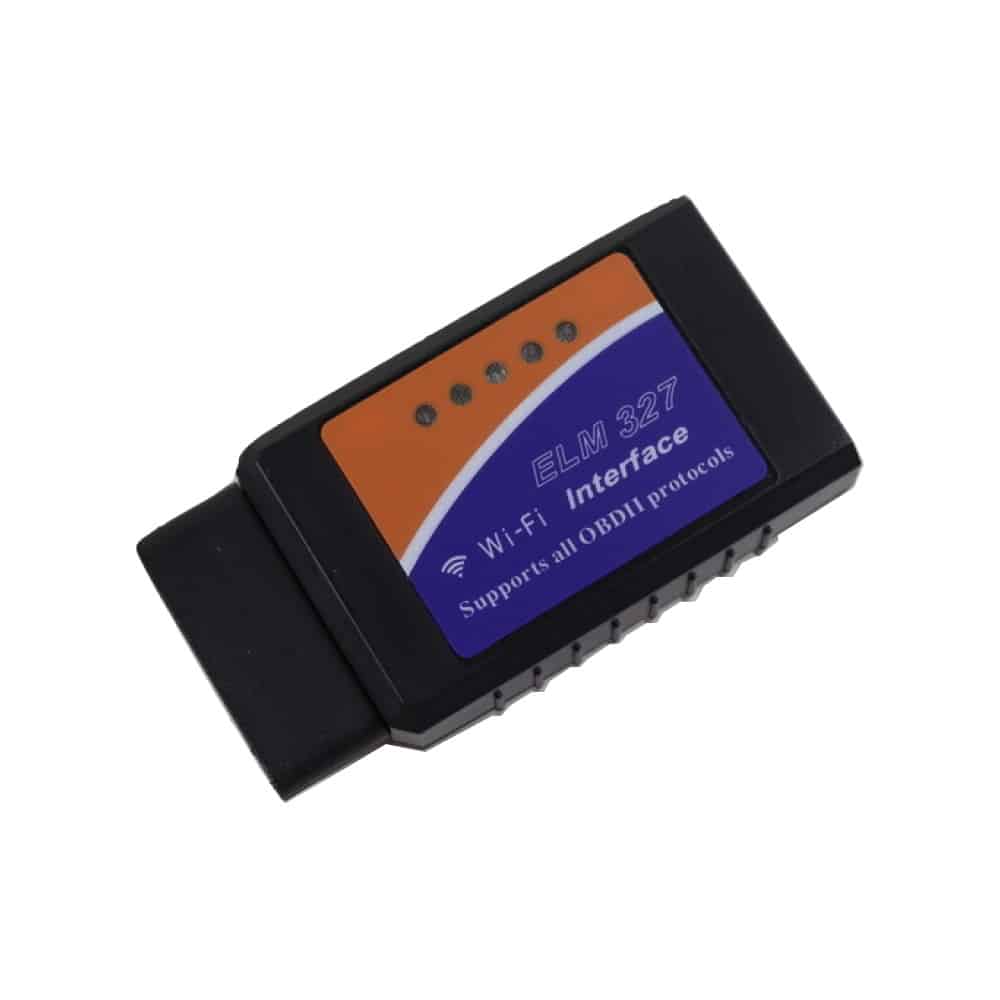
ELM327 Wifi OBD2 Car Diagnostic Tool Scanner Android Ios Windows provides vehicle diagnostics via Wifi connection compatible with Android, iOS, and Windows devices

ELM327 Wifi OBD2 Car Diagnostic Tool Scanner Android Ios Windows is an automotive diagnostic tool designed to connect wirelessly to a vehicle’s OBD2 port for monitoring and troubleshooting. This unit transmits data via Wifi and is compatible with Android, iOS, and Windows devices, making it versatile for various user preferences and device ecosystems.

The core function of this tool is to read diagnostic trouble codes (DTCs) from the vehicle’s engine control unit (ECU) and other systems that support OBD2 standards. This enables users to identify issues related to engine performance, emissions, and other critical functions without needing a professional scanner. This type of scanner is essential for vehicle owners or mechanics who want to perform routine diagnostics or confirm faults before repairs.

When using this tool, it is important to ensure that your vehicle supports the standard OBD2 interface and that your device has the necessary software or app to interpret the data transmitted via Wifi. Compare the existing diagnostic setup or interface with this Wifi OBD2 scanner to determine compatibility.

  • Connects wirelessly to Android, iOS, and Windows devices
  • Supports standard OBD2 diagnostic protocols
  • Ideal for real-time vehicle data monitoring and trouble code reading

Need help matching this item to your vehicle? Use more Wifi, Vehicle Parts Finder or Request a Part with your VIN, engine number, part number or clear photos.

Frequently Asked Questions

Confirm fitment before ordering
Quick answers before you order. If anything is unclear, confirm fitment first using your VIN or part number and avoid mistakes.
Helpful product answers
What vehicles are compatible with the ELM327 Wifi OBD2 Car Diagnostic Tool Scanner?
The ELM327 Wifi OBD2 scanner is compatible with most vehicles manufactured after 1996 that support the OBD2 protocol. It works with petrol and diesel engines, but compatibility may vary depending on the car's make and model. Always check your vehicle's OBD2 compliance before purchase.
Which devices and operating systems can I use with this ELM327 Wifi OBD2 scanner?
This diagnostic tool supports Android, iOS, and Windows devices, allowing you to connect via Wifi. You can use various OBD2 apps available on these platforms to read and clear fault codes, view live data, and perform diagnostics. Ensure your device supports Wifi connections for seamless use.
How do I connect the ELM327 Wifi OBD2 scanner to my vehicle and device?
Plug the ELM327 scanner into your vehicle’s OBD2 port, usually located under the dashboard. Then, connect your smartphone, tablet, or laptop to the scanner’s Wifi network. Open your preferred OBD2 app and follow the instructions to pair and start diagnostics.
Is the ELM327 Wifi OBD2 scanner suitable for Trade Partners?
Yes, this tool is ideal for Trade Partners who require a versatile and portable diagnostic scanner. It supports multiple platforms and offers essential diagnostic functions, making it a practical choice for workshops and mobile mechanics. For partnership inquiries, visit our Trade Partners page.
How is the ELM327 Wifi OBD2 scanner packaged and delivered?
The scanner is securely packaged to prevent damage during transit. Delivery times depend on your location and chosen courier service. We recommend using reliable couriers like The Courier Guy for prompt and safe delivery. For more details, visit The Courier Guy.
What should I do if I need a replacement part or support for this product?
If you require a replacement part or technical support, you can submit a request through our dedicated portal. Our team will assist you promptly to ensure your diagnostic tool remains fully operational. Visit Request a Part to get started.