
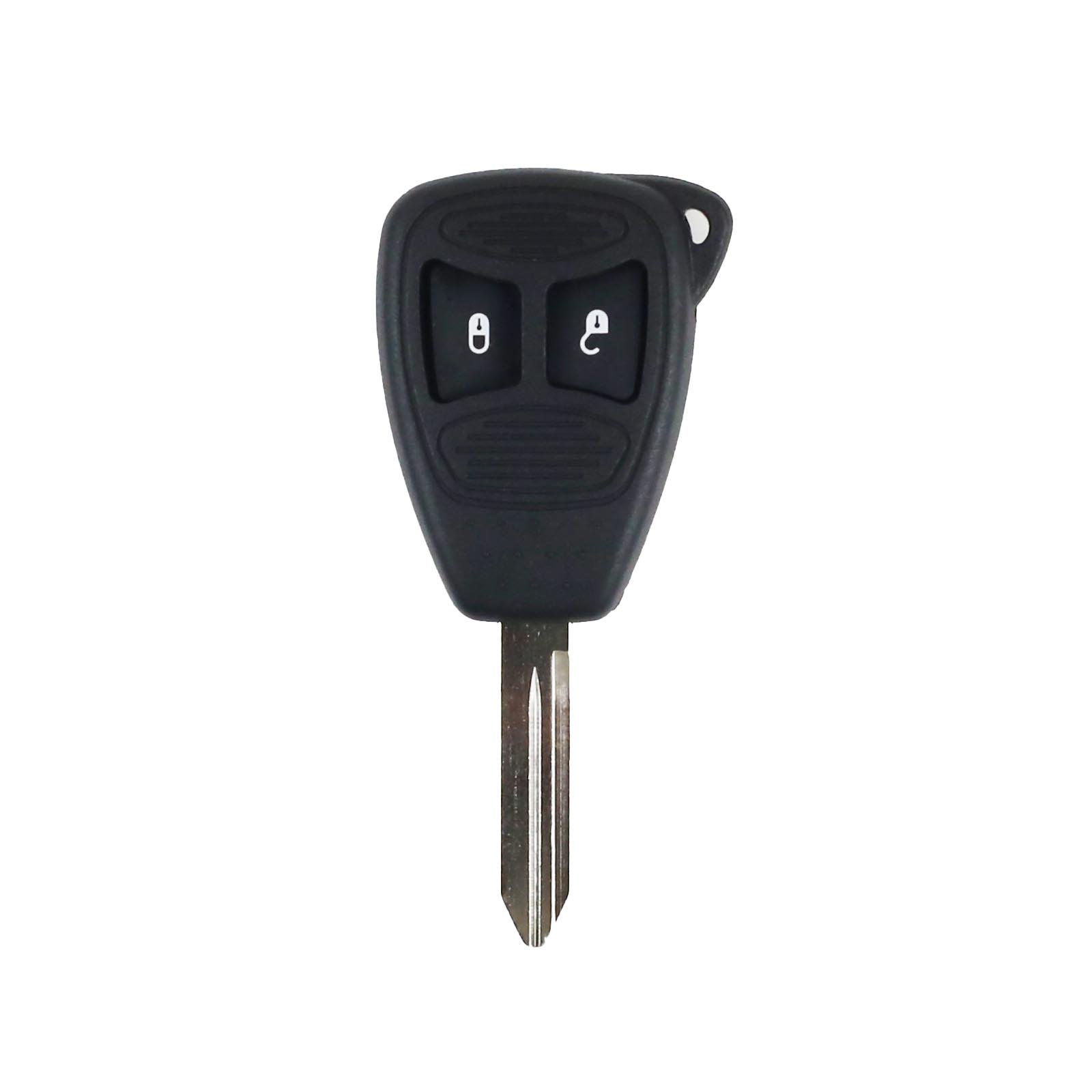
Chrysler Dodge Jeep Remote Key Case & Blade 2 Button CY24 Without Battery

R198.10

BB Store Credit Earn PreviewEarn approx. R4.95 BB Store Credit1% base • +1% payday • +0.5% weekend. Added after successful checkout and available for your next order.
Payflex Peach PAYMENTS Yoco
Brits Brothers SupportNeed help with this part?Fitment, stock, courier and returns help.
WhatsApp
Use Sales Desk, or choose a rotating WhatsApp support line.
Premium System

Complete Repair Package

Open the package builder to choose your vehicle and repair area. It only loads after click.

Chrysler Dodge Jeep Remote Key Case & Blade 2 Button CY24 Without Battery is a replacement remote key case with blade for Chrysler, Dodge, and Jeep models, without battery included

Fitment Check
RepairMatch™ Fitment
Confirm this part against your vehicle before you order.
Check Fitment
Opens fitment page
Store Credit Deal
ThunderDeal™ Negotiator
Make a serious online offer and turn the approved value into BB Store Credit.
Open Negotiator
Shortcode page
Repair Package
Complete Repair Bundle
Build a matching repair package using this part as the starting point.
Build Bundle
Opens bundle page
Vehicle Search
Vehicle Parts Finder
Search by vehicle and find related parts faster.
Find Vehicle Parts
Opens finder page

Chrysler Dodge Jeep Remote Key Case & Blade 2 Button CY24 Without Battery is listed as an auto-part option. Confirm fitment, part number and compatibility before purchase, especially where vehicle-specific matching is required.

this part is designed as a replacement shell and key blade for key fobs used across Chrysler, Dodge, and Jeep vehicles. This part provides the external housing for a two-button remote key without including the internal battery or electronics.

The remote key case protects and secures the internal electronics and battery while offering convenient access to the vehicle’s lock and unlock functions through its two-button configuration. The attached key blade is used for manual door access and ignition in compatible vehicles. Buyers should compare the remote case shape, button layout, and key blade type against their original key to ensure proper match and compatibility. The CY24 blade style is a common cut for this range of vehicles.

This listing excludes the battery and internal remote components, so it is intended for users needing to replace a damaged or worn outer key case or broken blade while retaining their existing electronics and battery unit. For complete replacement key fobs or battery details, additional parts or requests may be necessary.

  • Designed for Chrysler, Dodge, Jeep vehicles
  • Two-button remote key shell with CY24 style blade
  • Replacement of worn or damaged key cases without internal battery

Need help matching this item to your vehicle? Use more Battery, Vehicle Parts Finder or Request a Part with your VIN, engine number, part number or clear photos.

Frequently Asked Questions

Confirm fitment before ordering
Quick answers before you order. If anything is unclear, confirm fitment first using your VIN or part number and avoid mistakes.
Helpful product answers
Is the Chrysler Dodge Jeep Remote Key Case compatible with all models?
This remote key case is designed specifically for Chrysler, Dodge, and Jeep vehicles that use the CY24 blade type and a 2-button remote. However, compatibility may vary depending on the exact model and year. It's best to verify your vehicle's key specifications before purchasing to ensure a proper fit.
Does this key case come with a battery included?
No, this product does not include a battery or battery holder. You will need to transfer the battery from your original key or purchase a compatible battery separately. Avoid trying to use the case without a battery, as it will not function properly.
Can I program the remote key case myself?
This product is just the key case and blade; it does not include the internal electronics or remote programming. Programming the remote typically requires specialized equipment or assistance from a dealership or qualified locksmith. Ensure you have the original remote's electronics or seek professional help for programming.
What is the correct way to replace the key blade in this case?
To replace the key blade, carefully remove the old blade from your original key and insert it into the new case's slot. Make sure it is securely fixed to avoid it coming loose during use. A common mistake is forcing the blade in without aligning it properly, which can damage the case or blade. Take your time to align and secure it correctly.
Can Trade Partners order this key case in bulk?
Yes, Trade Partners can order this key case in bulk through Brits Brothers™. For more information on trade pricing and ordering, please visit our Trade Partners page. This ensures you get the best rates and support for your business needs.