
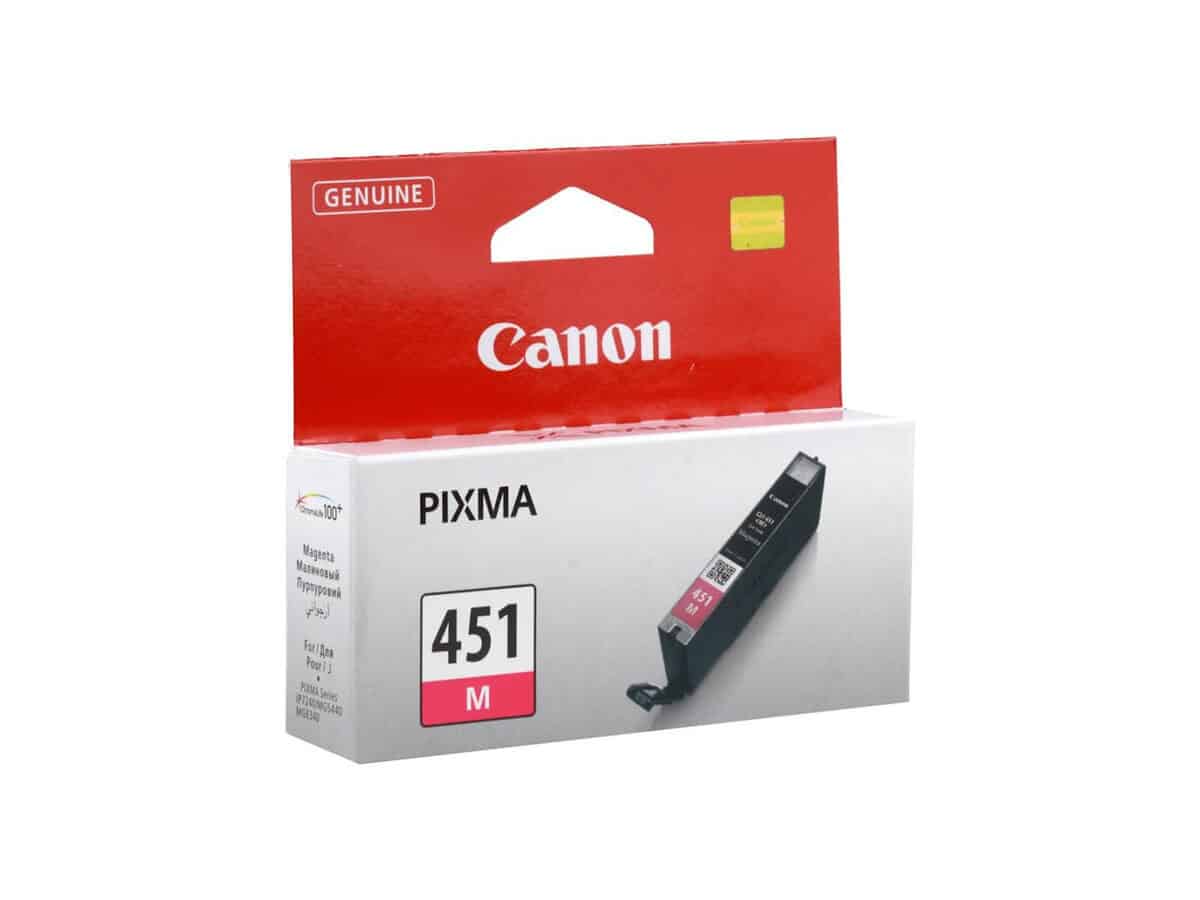
Canon CLI-451 Magenta Cartridge

R596.60

BB Store Credit Earn PreviewEarn approx. R5.97 BB Store Credit1% base. Added after successful checkout and available for your next order.
Payflex Peach PAYMENTS Yoco
Brits Brothers Support

Need help with this part?

Fitment, stock, courier and returns help.
Click any service to learn more.
Repair package

Complete Repair Package

Open the package builder to choose your vehicle and repair area. It only loads after click.

Canon CLI-451 Magenta Cartridge is designed for use in compatible Canon printers. This magenta ink cartridge ensures proper color printing when installed correctly

Canon CLI-451 Magenta Cartridge is a replacement ink cartridge designed specifically for use with compatible Canon inkjet printers that require this particular magenta cartridge model. As a magenta ink cartridge, its core function is to provide the vibrant magenta tone needed for accurate colour printing alongside cyan, yellow, and black cartridges.

This cartridge fits printers that specify the Canon CLI-451 magenta model, and buyers should compare the part code on their original cartridge carefully to ensure compatibility. It is important to confirm that your printer supports the CLI-451 range before purchasing to avoid fitment issues. Suitable use involves printing photos, documents, and graphics where bright and rich magenta colour is essential.

The cartridge is categorized under Cartridge Flat Foot and is identified by SKU BB-394770. It is a consumable component designed to be installed in the correct cartridge slot of Canon printers that operate with the CLI-451 series cartridges. Proper handling and replacement according to printer prompts help maintain print quality and prolong device usability.

  • Use only with printers compatible with Canon CLI-451 cartridges
  • Confirm the magenta cartridge slot and model match your printer’s requirements
  • Replace the cartridge when print quality fades or the printer indicates low ink

Need help matching this item to your vehicle? Use Tolsen Hex Chisel | Flat | 30x410x35 mm, Vehicle Parts Finder or Request a Part with your VIN, engine number, part number or clear photos.

Frequently Asked Questions

Confirm fitment before ordering
Quick answers before you order. If anything is unclear, confirm fitment first using your VIN or part number and avoid mistakes.
Helpful product answers
Is the Canon CLI-451 Magenta Cartridge compatible with all Canon printers?
The Canon CLI-451 Magenta Cartridge is designed for specific Canon printer models. It is important to check your printer's manual or product specifications to confirm compatibility before purchase. Using the wrong cartridge may cause printing issues or damage your printer.
How do I install the Canon CLI-451 Magenta Cartridge correctly?
To install the Canon CLI-451 Magenta Cartridge, first turn on your printer and open the cartridge access door. Remove the old cartridge carefully and unpack the new one, removing any protective tape. Insert the new cartridge firmly into the correct slot until it clicks into place, then close the access door. Refer to your printer’s user guide for detailed instructions.
What should I do if the Canon CLI-451 Magenta Cartridge is not recognized by my printer?
If your printer does not recognize the Canon CLI-451 Magenta Cartridge, try removing and reinstalling it to ensure it is seated properly. Check for any protective tape that may not have been removed. If the problem persists, reset your printer or consult the user manual. For further assistance, you can contact our Trade Partners via Trade Partners.
Can I recycle the Canon CLI-451 Magenta Cartridge after use?
Yes, Canon encourages recycling of used cartridges to reduce environmental impact. Many local recycling programs accept empty cartridges, or you can return them to authorized collection points. Proper recycling helps conserve resources and prevents harmful waste.
What is the expected page yield of the Canon CLI-451 Magenta Cartridge?
Not specified. The page yield can vary depending on the printer model, print settings, and the type of documents printed. For more precise information, refer to your printer’s documentation or contact our Trade Partners for guidance.