
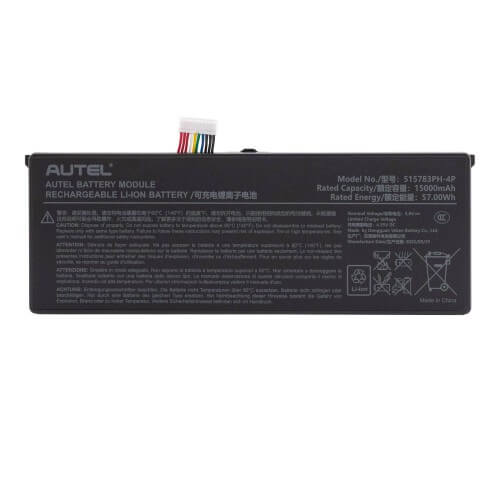
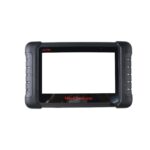
Autel MaxiIM IM608 Replacement Battery
Restore the full power and portability of your Autel MaxiIM IM608 diagnostic tablet with this replacement lithium battery. Designed specifically for the IM608 platform, it delivers stable power for key programming, immobilizer functions, and advanced vehicle diagnostics.
If your IM608 battery drains quickly or no longer holds charge, replacing it ensures your diagnostic tablet can operate reliably during long workshop sessions or mobile locksmith jobs.
Key Features
Designed for Autel IM608
, Direct replacement battery specifically built for the Autel MaxiIM IM608 diagnostic tablet.
Reliable Lithium Battery
, Provides consistent power for diagnostics, ECU communication, and key programming tasks.
Restores Device Mobility
, Allows technicians to work without being permanently connected to power.
Workshop Ready
, Built for professional daily diagnostic use in automotive workshops.
Perfect Fit Replacement
, Matches the original battery size, connector, and power requirements.
Technical Specifications
Battery Type: Lithium Polymer Rechargeable Battery
Voltage: 3.7V
Capacity: Approximately 15000mAh
Application: Diagnostic Tablet Power Supply
Installation Type: Internal Replacement Battery
Compatibility
Autel MaxiIM IM608
Autel MaxiIM IM608 Pro
Purpose and Use Case
This replacement battery is ideal for technicians and locksmith professionals using the Autel IM608 diagnostic tablet whose original battery has degraded. Installing a new battery restores full operating time and ensures uninterrupted performance when performing key programming, immobilizer diagnostics, and ECU functions.
Installation
The battery installs internally within the IM608 tablet and connects directly to the device power connector. Installation typically involves opening the tablet housing and replacing the original battery pack. Professional installation is recommended.
What’s in the Box
1x this part
Autel MaxiIM IM608 Replacement Battery
R1921.00
Brits Brothers SupportNeed help with this part?Fitment, stock, courier and returns help.
Click any service to learn more.
Repair package
Complete Repair Package
Open the package builder to choose your vehicle and repair area. It only loads after click.
Autel MaxiIM IM608 Replacement Battery provides a power source for the Autel MaxiIM IM608 diagnostic device. Ensure compatibility before purchase
More parts for this vehicle
Relevant parts selected from vehicle, fitment and catalogue data.