
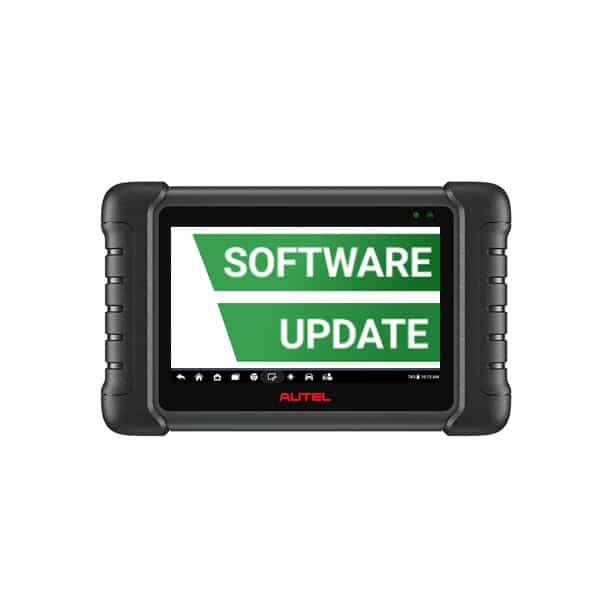

Autel MaxiCheck MX808/MX808S Software Update

R3790.00

BB Store Credit Earn PreviewEarn approx. R151.60 BB Store Credit1% base • +2% order tier • +1% payday. Added after successful checkout and available for your next order.
Payflex Peach PAYMENTS Yoco
Brits Brothers Support

Need help with this part?

Fitment, stock, courier and returns help.
Click any service to learn more.
Repair package

Complete Repair Package

Open the package builder to choose your vehicle and repair area. It only loads after click.

Autel MaxiCheck MX808/MX808S Software Update enables updating the software of Autel MaxiCheck MX808 and MX808S diagnostic tools to ensure access to the latest features and vehicle coverage

Autel MaxiCheck MX808/MX808S Software Update is designed for the Autel MaxiCheck MX808 and MX808S diagnostic tools. This software update is essential for maintaining and enhancing the diagnostic functions of these models, ensuring they operate with the latest system improvements and vehicle coverage.

The update targets the internal software of the diagnostic unit, allowing better compatibility with newer vehicle systems and improving the tool’s ability to read and clear fault codes, perform service resets, and support vehicle maintenance functions. Users should check their current software version and compare it to the update to determine if this product is needed.

This listing is specifically for the software update and does not include hardware components. Buyers should confirm they own the Autel MaxiCheck MX808 or MX808S diagnostic device before purchasing to ensure compatibility. If unsure about fitment or update details, contacting a sales advisor or submitting a request for specific parts or support is recommended.

  • Update specifically for Autel MaxiCheck MX808 and MX808S models
  • Enhances diagnostics and vehicle system compatibility
  • Necessary for keeping the tool current with vehicle technology changes

Need help matching this item to your vehicle? Use more PDF Editing Software, Vehicle Parts Finder or Request a Part with your VIN, engine number, part number or clear photos.

Frequently Asked Questions

Confirm fitment before ordering
Quick answers before you order. If anything is unclear, confirm fitment first using your VIN or part number and avoid mistakes.
Helpful product answers
What is the Autel MaxiCheck MX808/MX808S Software Update used for?
The software update for the Autel MaxiCheck MX808/MX808S enhances the diagnostic tool's capabilities by adding new vehicle models and improving existing functions. It ensures your device stays current with the latest automotive technologies and fault codes. Regular updates help maintain accuracy and efficiency during vehicle diagnostics.
How often should I update the Autel MaxiCheck MX808/MX808S software?
It is recommended to update the software as soon as new versions become available to keep your diagnostic tool up to date. Frequent updates provide access to the latest vehicle coverage and bug fixes. Staying current helps avoid compatibility issues and ensures optimal performance.
Can I perform the Autel MaxiCheck MX808/MX808S software update myself?
Yes, the update process is designed to be user-friendly. You will need a stable internet connection and a compatible PC or laptop to download and install the update. Detailed instructions are usually provided with the update package or on the official Autel website.
Is the Autel MaxiCheck MX808/MX808S software update compatible with all versions of the device?
The update is specifically designed for the MX808 and MX808S models. It may not be compatible with other Autel diagnostic tools. Always verify your device model before purchasing the software update to ensure compatibility.
What should I do if I encounter issues during the software update?
If you experience problems during the update, first check your internet connection and ensure your device is properly connected to your PC. Restarting the update process can often resolve minor issues. For further assistance, you can contact Brits Brothers™ Trade Partners or visit Request a Part for support.