
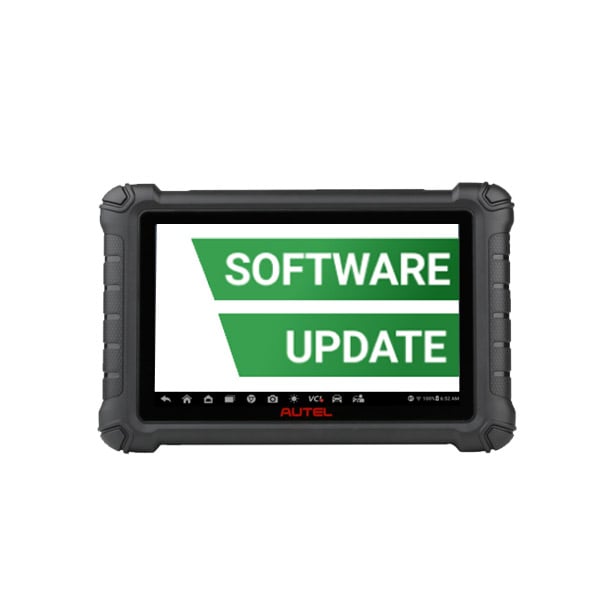
Autel DS900 1 Year Software Update

R6910.00

BB Store Credit Earn PreviewEarn approx. R207.30 BB Store Credit1% base • +2% order tier. Added after successful checkout and available for your next order.
Payflex Peach PAYMENTS Yoco
Brits Brothers Support

Need help with this part?

Fitment, stock, courier and returns help.
Click any service to learn more.
Repair package

Complete Repair Package

Open the package builder to choose your vehicle and repair area. It only loads after click.

Autel DS900 1 Year Software Update provides one year of software updates for the Autel DS900 device to maintain up-to-date functionality

Autel DS900 1 Year Software Update is designed to keep your Autel DS900 diagnostic tool current with the latest software improvements and vehicle coverage enhancements. This software update is essential for users who rely on the DS900 for accurate diagnostics and vehicle system management. It extends the capabilities of your device throughout the year it covers, helping maintain compatibility with new vehicle models and updated protocols.

This update is a digital product categorized under PDF Editing Software but specifically tailored for the Autel DS900 diagnostic unit. When selecting this update, verify that your device matches the Autel DS900 model to ensure compatibility. The update focuses strictly on software enhancements without changing any hardware components.

Keeping your diagnostic tool’s software up to date can improve its ability to detect issues, run system checks, and communicate with vehicle modules effectively. Users interested in continued reliable performance for vehicle diagnosis should consider renewing this update annually. Comparing your current software version date with the update’s validity can help determine if you need this product.

  • Compatible with Autel DS900 diagnostic tool
  • Extends software support and vehicle coverage for one year
  • Includes enhancements relevant to the tool’s diagnostic functions

Need help matching this item to your vehicle? Use more PDF Editing Software, Vehicle Parts Finder or Request a Part with your VIN, engine number, part number or clear photos.

Frequently Asked Questions

Confirm fitment before ordering
Quick answers before you order. If anything is unclear, confirm fitment first using your VIN or part number and avoid mistakes.
Helpful product answers
What does the Autel DS900 1 Year Software Update include?
The Autel DS900 1 Year Software Update provides access to the latest diagnostic software enhancements and vehicle coverage improvements for one year. It ensures your device stays current with new vehicle models and updated fault codes. This update helps maintain optimal performance and diagnostic accuracy.
How do I install the Autel DS900 1 Year Software Update?
To install the update, connect your Autel DS900 device to a stable internet connection and use the Autel Update tool provided with your device. Make sure the device battery is sufficiently charged to avoid interruptions. Avoid disconnecting the device during the update to prevent software corruption.
Can I purchase multiple years of software updates for the Autel DS900?
Currently, the product listing specifies a 1 Year Software Update. For extended coverage, you may need to purchase additional yearly updates separately. Contact Brits Brothers™ Trade Partners for advice on long-term update plans and availability.
Is the Autel DS900 1 Year Software Update compatible with all vehicle makes?
The update expands compatibility to include a wide range of vehicle makes and models, but exact coverage depends on the latest software version. It is designed to support most common vehicles serviced in South Africa. For specific vehicle compatibility questions, reach out to Brits Brothers™ Trade Partners.
What is a common mistake when updating the Autel DS900 software and how can I avoid it?
A frequent error is interrupting the update process by disconnecting the device or losing internet connection. To avoid this, ensure your device is fully charged and connected to a reliable internet source before starting the update. Patience during the update will prevent software corruption and save you time.